

If you are searching for an Invoice Simple alternative that does not nickel and dime you with transaction markups and leaves you stranded when something breaks, you are in the right place. Independent contractors and small business owners are waking up to the fact that Invoice Simple charges $19.99 per month and still tacks on 2.9% plus $0.30 per invoice payment. That stings when margins are already thin. This guide walks you through the real reasons users are leaving, compares actual costs side by side, and gives you a practical migration plan that keeps your billing running without interruption.
Key Takeaways
- The most affordable unlimited invoicing plan with zero platform transaction fees is Pronto Invoice Growth at $12 per month, a $96 per year saving versus Invoice Simple Premium at $19.99 per month.
- Two free alternatives exist with no added payment markup: Pronto Invoice Free (10 invoices per month, 5 clients) and Invoice Ninja self hosted (free forever but requires technical setup).
- Real user complaints about Invoice Simple include syncing failures, poor customer support, and unauthorized charges after cancellation. Your migration checklist must account for these risks.
- Quick verdict — Is this the right Invoice Simple alternative for you?
- Why users are leaving Invoice Simple (real complaints to watch for)
- Cost & fees deep dive — where you’ll save most
- Best free alternatives (shortlist & who they’re for)
- Paid alternatives that are cheaper and still avoid transaction markups
- Feature checklist — what to verify before you switch
- Mobile app ratings & review counts — how to interpret them
- Migration checklist — step by step to switch from Invoice Simple with minimal risk
- Cheapest replacement plan — final recommendations by budget
- Objections & rebuttals — answers to common switching fears
- Conclusion
- FAQ
Quick verdict — Is this the right Invoice Simple alternative for you?
This guide is written for independent contractors, freelancers, and tiny business owners with one to five employees who are currently paying Invoice Simple and feeling the pinch. You want to cut costs without losing reliability, and you definitely do not want to chase down unauthorized charges after you cancel. The primary tradeoff is straightforward: you can save roughly $96 per year on subscription fees alone and eliminate the 2.9% plus $0.30 per transaction markup by switching to a platform like Pronto Invoice. What you might lose is a polished mobile app with hundreds of thousands of reviews. What you gain is cash in your pocket and, according to user reports, fewer headaches with billing trust. If you send fewer than 10 invoices each month and work with a handful of clients, you can even switch for free and never look back.

The single best recommendation for cost conscious switchers is Pronto Invoice Growth at $12 per month. It provides unlimited invoicing, avoids the platform added transaction fee entirely, and costs $7.99 less each month than Invoice Simple Premium. If you want something better than Invoice Simple on both price and fee transparency, that is where you should start your trial.
Why users are leaving Invoice Simple (real complaints to watch for)
Before you switch from Invoice Simple, it helps to understand exactly what pushes paying users out the door. Verified negative reviews on GetApp surface three consistent pain points that should shape your migration priorities. These are not minor grumbles. They are dealbreakers for small operators who depend on invoicing software to get paid on time.
First, technical issues and syncing problems. Users report data not syncing correctly between devices, invoices failing to send, and general instability that kills trust in the platform. When you are on a job site and need to fire off an invoice from your phone, a syncing failure means delayed payment. That is real money.
Second, poor customer service. The word “awful” appears in multiple reviews. Users describe losing both time and money due to faults that support teams either could not or would not resolve quickly. For a solopreneur, spending hours chasing a support ticket is time you are not billing clients.
Third, unauthorized charges after cancellation. One user explicitly stated they were “charged once I cancelled subscription and did not want to refund.” This is a billing trust issue. If you cancel and the vendor keeps charging your card, you have to dispute the transaction and potentially deal with your bank. That friction is exactly why many freelancers search for an Invoice Simple competitor in the first place.
These three complaints, sourced from verified GetApp reviews, tell a clear story. Reliability and billing integrity matter more than extra features. When you evaluate alternatives, test cancellation policies and support responsiveness during your trial period before committing a single real client invoice.
Cost & fees deep dive — where you’ll save most
This is where the Invoice Simple vs comparison gets concrete. Most freelancers look at the monthly subscription price and stop there. That is a mistake. The real cost difference hides in transaction fees. Here is the breakdown that matters for anyone hunting an Invoice Simple replacement.
| Feature | Invoice Simple Premium | Pronto Invoice Growth |
|---|---|---|
| Monthly price | $19.99 | $12.00 |
| Annual cost | $239.88 | $144.00 |
| Annual savings | — | $95.88 |
| Platform transaction fee | 2.9% + $0.30 per transaction | None (you pay only processor fees) |
| Unlimited invoices | Yes | Yes |
The subscription savings of $7.99 per month are nice. But the transaction fee elimination is where the real money lives. On a $1,000 client payment, Invoice Simple pockets $29.30 before your payment processor even takes its cut. On a $5,000 project, that jumps to $145.30 in platform fees alone. Pronto Invoice takes none of that. According to Pronto Invoice’s comparison data, their platform simply does not add a markup on top of standard payment processor rates. You keep what you earn.
For anyone sending more than a few invoices each month, this fee difference can add up to hundreds of dollars per year on top of the subscription savings. When evaluating any alternative, always ask whether the listed price includes a per transaction platform fee or if you only pay your processor’s standard rate.
Best free alternatives (shortlist & who they’re for)
If your invoicing volume is low and you want to eliminate subscription costs entirely, there are genuine Invoice Simple alternative free options worth considering. None of them are perfect, and each comes with tradeoffs you need to understand before you commit. Here are the top picks for an Invoice Simple replacement at zero dollars per month.
Pronto Invoice Free gives you 10 invoices per month and supports up to 5 clients with zero payment markup. This is ideal for side gig freelancers and micro businesses that send a handful of invoices monthly. The free tier does not skimp on the core functionality. You get professional invoice creation, payment collection, and no per transaction platform fee. If your business grows beyond 10 invoices, upgrading to the Growth plan at $12 per month is a natural step.
Invoice Ninja self hosted is free forever with unlimited features. The catch is technical: you need to install and host it yourself. If you are comfortable with basic server setup or have a tech savvy friend, this is genuinely the most powerful free option available. For non technical users, the hosted version starts at a paid tier, but the self hosted route remains a legitimate zero cost path. You can also grab a free invoice template to supplement your workflow while you figure out the setup.
Wave offers free unlimited invoicing and free accounting bundled together. It is a solid pick for freelancers who want basic bookkeeping alongside their invoices. However, our research could not confirm whether Wave’s free plan includes bank transaction syncing. Evidence is limited on that specific feature. If automatic bank reconciliation matters to you, verify this during your trial before importing client data. You should always test with a simple invoice template free backup ready in case the platform does not meet your needs.
Paid alternatives that are cheaper and still avoid transaction markups
For growing businesses that need unlimited invoices without paying Invoice Simple’s premium price or its per transaction markup, there are clear winners. These options are genuinely better than Invoice Simple on the numbers that hit your bank account directly.
Pronto Invoice Growth at $12 per month remains the standout Invoice Simple competitor in the paid category. You save $7.99 per month on the subscription and avoid the 2.9% plus $0.30 per transaction fee that Invoice Simple adds. For a freelancer sending 20 invoices per month with an average payment of $800 each, the transaction fee savings alone could exceed $460 per year. Combined with the subscription savings, you are looking at over $550 back in your pocket annually.
The value proposition is straightforward. Pronto Invoice delivers unlimited invoicing, zero platform markup, and a lower monthly price. There is no hidden pricing tier that suddenly introduces fees once you cross an invoice threshold. If you want a reliable editable invoice template and a full invoicing platform without the markup, this is the most direct path.
Other paid alternatives exist at various price points, but many of them add their own transaction fees or limit invoice counts on lower tiers. Always read the fine print on payment processing. Some platforms advertise low monthly rates but make their money on per transaction fees that Invoice Simple openly discloses. The key metric is total cost: subscription plus transaction fees on your average monthly volume.
Feature checklist — what to verify before you switch (what comparison articles often miss)
Most comparison articles highlight pricing and invoice limits. Few dig into the operational details that actually determine whether your switch from Invoice Simple will succeed or stall. Here is a practical checklist of features to test during your trial. Evidence on some of these items is genuinely limited, which is exactly why you must verify them yourself before migrating.
Bank sync reliability. Research could not confirm which free alternatives offer bank transaction syncing comparable to paid accounting platforms. This is a gap in publicly available information. During your trial, connect your bank account and run at least three real sync cycles. Watch for delays, duplicate entries, and reconciliation errors.
Mobile app stability under real conditions. Invoice Simple reports a 4.8 star rating based on 284,000 plus reviews. But comparable rating and review count figures were not provided in our research for alternatives like Pronto Invoice, FreshBooks, Wave, Invoice Ninja, or Billdu. This does not mean those apps are worse. It means you need to test them on your own device under your actual workflow. Send a test invoice from your phone on a cellular connection. Check how the app handles offline mode or spotty coverage.
Cancellation and billing policies. Given the user complaint about unauthorized charges after cancellation, this is non negotiable. Before entering payment details, read the cancellation terms. Check whether cancellation is self service or requires contacting support. After signing up for a trial, cancel it and verify that no charges appear. This is not paranoia. It is due diligence based on real user experiences referenced in our research.
Export and migration tools. Can you export your client list and invoice history in a format that the new platform accepts? CSV export is common, but field mapping can be messy. Test an export import cycle with one or two clients before attempting a full migration. Having a clean invoice template PDF free download on hand during the transition ensures you can manually recreate any invoice that does not transfer cleanly.
Payment processor fees versus platform markups. This distinction is critical. Some platforms advertise “no fees” but roll the cost into their payment processor’s rate. Others, like Invoice Simple, openly charge a platform markup on top of standard processor rates. Ask support directly: “Does your platform add any percentage or flat fee on top of the payment processor’s standard rate?” Get the answer in writing. If the answer is vague, test it by sending yourself a small payment and comparing the deducted amount to the processor’s published rate.
Mobile app ratings & review counts — how to interpret them
Invoice Simple’s mobile app carries a 4.8 star rating with over 284,000 reviews across app stores, according to available comparison data. That is an impressive volume. It signals a mature, widely adopted mobile product. For a freelancer who sends invoices from job sites, a reliable mobile app is not optional.
However, comparable rating and review count figures were not provided in our research for any of the alternatives mentioned in this guide. This absence is itself a useful data point. Smaller or newer Invoice Simple alternative platforms may have fewer reviews simply because they have fewer users, not because their apps are inferior. A four star app with 500 reviews might serve your needs better than a 4.8 star app with sync issues that cause payment delays.
The practical takeaway is to treat app store ratings as one signal among many. Download the alternative’s app during your trial. Send five invoices from your phone over a week. Pay attention to load times, form responsiveness, and how the app handles interruptions like incoming calls or switching between apps. If the app crashes or loses data even once, that should weigh more heavily than the aggregate star rating from thousands of users whose workflows may differ from yours. Every Invoice Simple competitor should earn your trust through performance, not through review counts alone.
Migration checklist — step by step to switch from Invoice Simple with minimal risk
This is the operational playbook for a clean switch from Invoice Simple. Follow these steps in order. Rushing through any one of them can disrupt your payment cycle or leave you chasing refunds. Each step is designed to minimize the exact risks that real Invoice Simple users have reported.
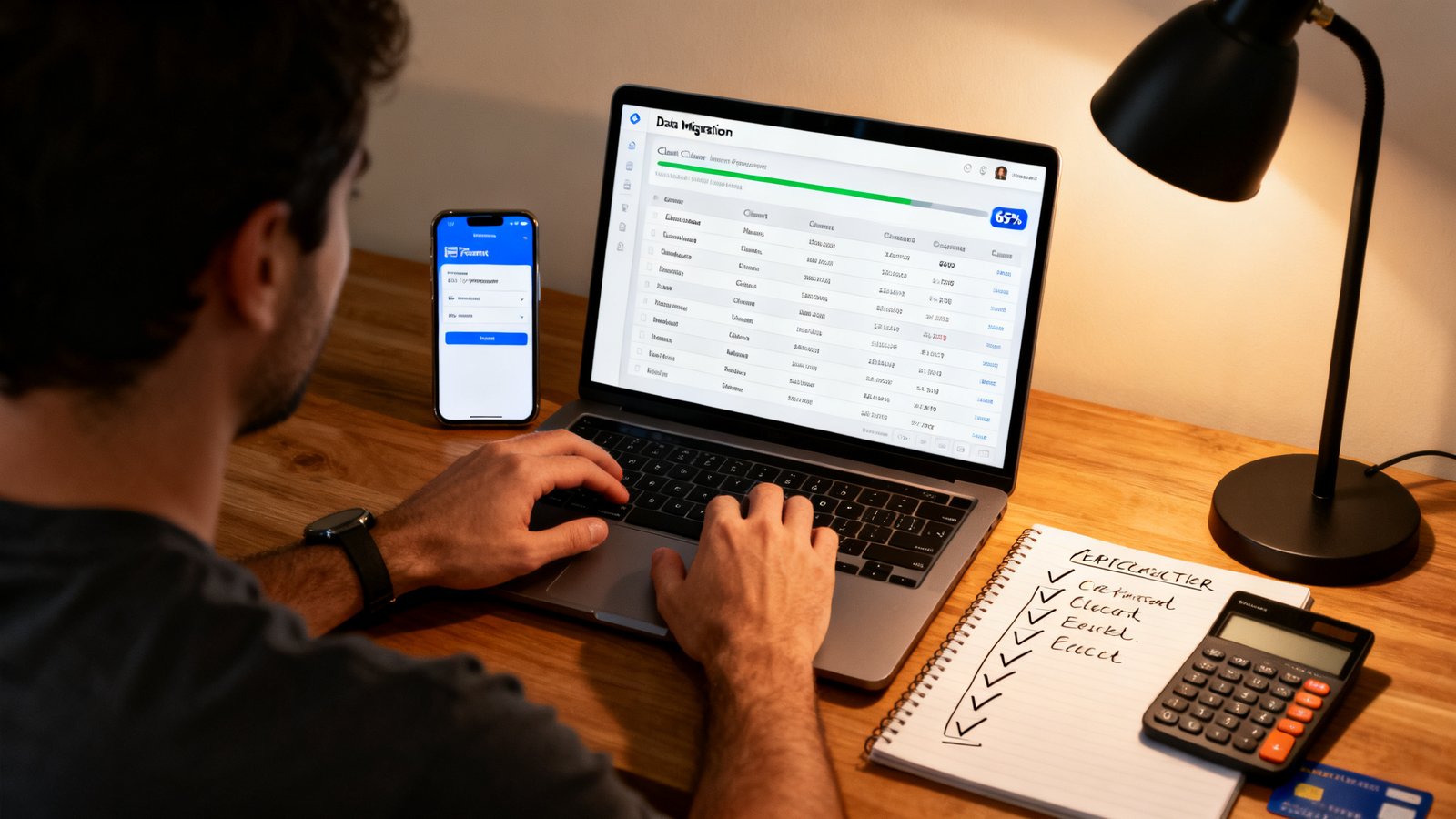
Step one: Export your client and invoice data. Log into Invoice Simple and download your client list, invoice history, and any saved product or service items. Most platforms offer CSV exports. Store these files securely. If your new platform supports direct CSV import, map the fields carefully and run a test import with one client record before importing everything.
Step two: Pause all recurring invoices. Do not cancel them yet. Pause them so no duplicate invoices get sent while you transition. Make a list of every recurring invoice, its schedule, and the associated client. This list becomes your setup checklist on the new platform.
Step three: Set up your payment processor on the new platform. Connect your Stripe, PayPal, or bank account before creating any invoices. Send a one dollar test payment to yourself. Confirm that funds arrive in your bank account within the expected settlement window. Do not skip this test. A misconfigured payment processor means invoices go out but money does not come in.
Step four: Run parallel invoices for one to two billing cycles. Pick a low risk client or send test invoices to yourself. Verify that the new platform generates invoices correctly, delivers them on time, and processes payments without errors. This parallel period also lets you test mobile workflows, reminder emails, and any integrations you rely on.
Step five: Confirm refunds and cancellations on your old account. This is where the caution from user reviews becomes actionable. Users reported being “charged once I cancelled subscription.” Before canceling Invoice Simple, remove your payment method from the account if the platform allows it. If not, take a screenshot showing your cancellation confirmation. Monitor your bank statements for the next two billing cycles. If a charge appears, dispute it immediately with your screenshot as evidence.
Step six: Communicate the change to clients. Send a brief email letting clients know you have upgraded your invoicing system. Reassure them that payment terms remain the same and that they may receive invoices from a new sender name or platform. Provide your contact details in case they have questions. This small step prevents confusion and reinforces your professionalism.
Step seven: Test mobile workflows thoroughly. Send an invoice from your phone. Mark a payment as received from your tablet. Test what happens when you lose your internet connection mid invoice. The mobile experience is where many Invoice Simple replacement platforms show their rough edges. Discover those edges during testing, not on a job site with a client waiting.
Cheapest replacement plan — final recommendations by budget
Here are three picks organized by what you can afford today. Each one represents a legitimate path away from Invoice Simple with clear pros and cons. Pick your tier and take one action today to start the switch.
Free tier: Pronto Invoice Free. Ten invoices per month, five clients, and zero payment markup. The obvious choice for side gig operators and freelancers with low volume who want to stop paying for invoicing entirely. Pro: genuinely free with no transaction fee trap. Con: client and invoice limits mean you will eventually need to upgrade if your volume grows. Action: sign up and send your first test invoice today. You can also keep an invoice template PDF free download on standby as a backup during the transition.
Under $15 per month: Pronto Invoice Growth at $12 per month. Unlimited invoicing with no platform transaction markup. This is the sweet spot for active freelancers who send more than ten invoices monthly and want to eliminate both the subscription premium and the per payment fee that Invoice Simple imposes. Pro: best total cost profile in the category. Con: mobile app review volume is lower than Invoice Simple, so test mobile reliability yourself. Action: start the free trial and run parallel invoices for one billing cycle.
Best long term value: Invoice Ninja self hosted. Free forever with unlimited features if you handle the technical setup. For the DIY minded freelancer or small team with access to basic hosting, this option eliminates subscription costs permanently. Pro: maximum feature set at zero recurring cost. Con: you are responsible for uptime, backups, and security patches. Action: review the installation documentation and assess whether you have the technical resources to maintain a self hosted instance.

Objections & rebuttals — answers to common switching fears
Switching invoicing platforms feels risky. You have clients depending on you. You have payment schedules to maintain. Here are the most common fears freelancers voice when considering an Invoice Simple competitor, and honest responses to each.
“Data migration will be a nightmare.” It can be tedious, but it is not technically complex. Most platforms accept CSV imports for clients and products. Invoice history typically cannot be migrated automatically, but you can export it as PDFs or CSVs for your records. The new platform starts fresh for future invoices. The real work is mapping fields during import, which takes an afternoon, not a week. Use the comparison guides available online to identify platforms with the smoothest import tools.
“I will lose my recurring payment setup.” You will need to recreate recurring invoices on the new platform. This is manual but straightforward. During your parallel testing period, pause recurring invoices on Invoice Simple and recreate them on the new platform. Verify that the first cycle triggers correctly before canceling the old ones. The inconvenience of recreating them is a one time cost weighed against ongoing savings.
“The mobile app will not be as good.” This is possible and worth testing. Invoice Simple has a mature mobile app with a large user base. Some alternatives may have less polished mobile experiences. The only way to know is to download the alternative’s app and use it for a week. Send invoices, check payment statuses, and test it under real conditions. If mobile is critical to your workflow, prioritize alternatives that invest visibly in their mobile experience.
“There will be hidden fees.” Read the pricing page carefully. Ask support directly about platform transaction markups. Test by sending yourself a payment and comparing the fee deducted to the published processor rate. The research in this guide indicates that Pronto Invoice and Invoice Ninja self hosted do not add platform transaction fees. For any other Invoice Simple replacement, verify this yourself before committing real client payments.
“Customer support will be worse.” Given that “awful customer service” is one of the top complaints about Invoice Simple itself, this fear cuts both ways. The bar is not as high as you might think. During your trial, send a support ticket with a realistic question and measure the response time and quality. A platform that answers thoughtfully within a few hours may already outperform what you are leaving behind.
Conclusion
Switching from Invoice Simple is not about chasing a shiny new app. It is about keeping more of your revenue and trusting that your invoicing platform will work when you need it. The numbers are clear: Pronto Invoice Growth saves you $7.99 per month on the subscription and eliminates the 2.9% plus $0.30 per transaction markup. Over a year of active invoicing, that difference can exceed $500 for a typical freelancer. Two free alternatives, Pronto Invoice Free and Invoice Ninja self hosted, make it possible to stop paying for invoicing entirely if your volume and technical comfort allow it. The verified user complaints about syncing failures, poor support, and post cancellation charges reinforce that staying put carries its own risks. Your migration does not need to be dramatic. Follow the checklist, run parallel invoices, and verify cancellation policies before closing your old account. The right Invoice Simple alternative is the one that puts more money in your account and fewer headaches in your workday.
Ready to start? Pick one alternative from the budget recommendations above, sign up for a free trial, and send your first test invoice today. Download a free invoice template as a backup while you test. The sooner you verify that a cheaper, more transparent platform works for your business, the sooner you stop overpaying for features you might not even trust.
FAQ
What is the cheapest Invoice Simple alternative with no transaction fees?
Pronto Invoice Free offers 10 invoices per month and 5 clients with zero platform added transaction fees. For unlimited invoicing with no markup, Pronto Invoice Growth costs $12 per month, which is $7.99 less than Invoice Simple Premium at $19.99 per month and avoids the 2.9% plus $0.30 per transaction fee entirely.
Can I switch from Invoice Simple without losing my invoice history?
You can export your invoice history from Invoice Simple as CSV or PDF files for your records. Most alternative platforms cannot automatically import historical invoices, but you can store the exports locally or in cloud storage. Future invoices will be created on the new platform. Your client list can typically be imported via CSV, which preserves your contacts without manual reentry.
Does Invoice Simple charge fees after cancellation?
According to verified user reviews on GetApp, at least one user reported being charged after canceling their subscription and was not offered a refund. To protect yourself, remove your payment method before canceling if the platform allows it, save a screenshot of your cancellation confirmation, and monitor your bank statements for two billing cycles after cancellation.
Which free Invoice Simple alternative includes bank syncing?
Evidence is limited on this point. Our research could not confirm definitively which free alternatives offer bank transaction syncing. Wave provides free accounting alongside free invoicing, but whether its free plan includes bank syncing remains unverified in the available data. You should test bank sync during your trial period with any alternative you consider.
Is there a self hosted alternative to Invoice Simple that is completely free?
Yes. Invoice Ninja offers a self hosted version that is free forever with unlimited features. It requires technical setup including server installation and maintenance. If you are comfortable with basic hosting tasks or have access to someone who is, this is the most powerful free alternative available with no recurring costs and no platform transaction fees.