

We downloaded the free templates from Zoho Invoice, FreshBooks, and QuickBooks, then cross referenced them against customs requirements documented by BEX, DripCapital, and Investopedia. The result is a customs ready proforma invoice template you can download today, plus the exact steps to fix any generic template you are already using. Here is what to change and why it matters before your next shipment.
Key Takeaways
- Generic free proforma invoice templates routinely omit at least 5 customs critical fields including HS/Schedule B codes, country of origin declarations, and validity statements that EU and US customs require.
- US CBP may accept a proforma invoice at entry only if the importer posts a bond and supplies the commercial invoice within 120 days, making the proforma a temporary stand in, not a permanent substitute.
- You can turn any basic template into a customs ready document in under 15 minutes by adding 7 specific field blocks we provide verbatim in this guide.
- Proforma invoice template — what customs actually requires (EU & US)
- Proforma invoice example — annotated sample for EU customs
- Proforma invoice vs invoice — when customs will accept a proforma (and when it won’t)
- How to make the free template customs ready (step by step)
- Proforma invoice sample PDF — where to download vendor templates and their limits
- Pricing reality and hidden limits for “free” templates and SaaS invoicing tools
- Recurring user complaints about proforma invoice templates for advance international billing
- Who this template is NOT for
- Alternatives — when to use a commercial invoice, a customs broker, or ERP automation
- Downloadable deliverables
- Conclusion: who should download and who should skip
- FAQ
Proforma invoice template — what customs actually requires (EU & US)
A proforma invoice that clears customs without a re submission request is not about looking professional. It is about including the specific data points that officers in the EU and US are trained to locate within seconds. If a field is missing, the document gets flagged and your shipment sits.
According to a synthesis of guidance from BEX, DripCapital, ShipMercury, and Investopedia, a proforma invoice used for customs clearance in the EU and the US must contain the exporter’s and importer’s full contact information, a clear description of each item, its quantity, unit price, total value in the agreed currency, the applicable HS (EU) or Schedule B (US) tariff code, weight, packaging details, and the declared country of origin, along with a statement certifying the accuracy of the information, a separate declaration of origin, and an explicit validity period for the quotation. The document should also include the agreed Incoterms 2020, payment terms, and any special handling or regulatory notes required by the destination country.
Here is the mandatory field checklist every customs ready proforma invoice template must include:
- Exporter full contact information — legal name, physical address, phone, and tax ID or EORI number for EU shipments.
- Importer full contact information — legal name, physical address, and any relevant importer of record number.
- Item description — clear, plain language description per line item. Avoid internal product codes without explanation.
- Quantity and unit price — per item, with the total value in the agreed currency.
- HS code (EU) or Schedule B code (US) — the tariff classification code for each line item. This is the most commonly missing field in free templates.
- Net and gross weight — per item or total consignment, in kilograms or pounds depending on destination.
- Packaging details — type (carton, pallet, crate), number of packages, and dimensions.
- Declared country of origin — where each product was manufactured, not shipped from.
- Accuracy certification statement — a line explicitly declaring the information is true and correct.
- Origin declaration — separate statement confirming non preferential or preferential origin, if applicable.
- Explicit validity period — the exact date the quotation expires, commonly 30, 60, or 90 days from issue.
- Incoterms 2020 — the agreed term like FOB, CIF, or EXW, with the named place.
- Payment terms — method, due date, and any advance payment or letter of credit details.
- Special handling or regulatory notes — dangerous goods classification, temperature requirements, or inspection notes if applicable.
If your current free invoice template is missing three or more of these fields, customs will likely reject it on first submission. Exporters who ship regularly to the EU and US should treat this checklist as the bare minimum, not optional detail.

Proforma invoice example — annotated sample for EU customs
EU customs authorities are explicit about what they expect. As BEX states, if goods are sent to or from a third country, an invoice must generally be enclosed with the delivery. If there is no regular commercial invoice, a substitute must be enclosed with the goods: the pro forma invoice. That substitute carries the same informational weight in the eyes of the customs officer.
Here is how each field maps to what the EU declaration process actually checks:
- HS code placement — Must appear on the line item row, not in a footer or separate annex. EU customs officers match the HS code to the TARIC database entry in real time. If the code is buried or absent, the entry gets suspended for manual review.
- Origin statement — Must be a standalone sentence, not implied by the exporter address. For example: “Country of origin: [Country Name]” placed directly below the item description. The EU uses this to determine preferential tariff rates and anti dumping duties.
- Validity line — The quotation expiration date must be explicit. Common phrasing: “This proforma invoice is valid until [DD/MM/YYYY].” Without it, the customs value assessment becomes ambiguous and the officer may request a revised document.
- Incoterms — Must include the named place. “FOB Shenzhen” is acceptable. “FOB” alone is not. The Incoterm determines who bears freight and insurance costs, which directly affects the customs value calculation.
- Accuracy certification — A signature line with a statement such as: “I certify that the information on this proforma invoice is true and correct.” EU customs may accept an electronic signature depending on the member state, but requirements vary. [NEEDS SOURCE: EU member state specific guidance on electronic signature acceptance for proforma invoices — check individual customs authority websites, e.g., German Zoll, French Douane, Dutch Belastingdienst]
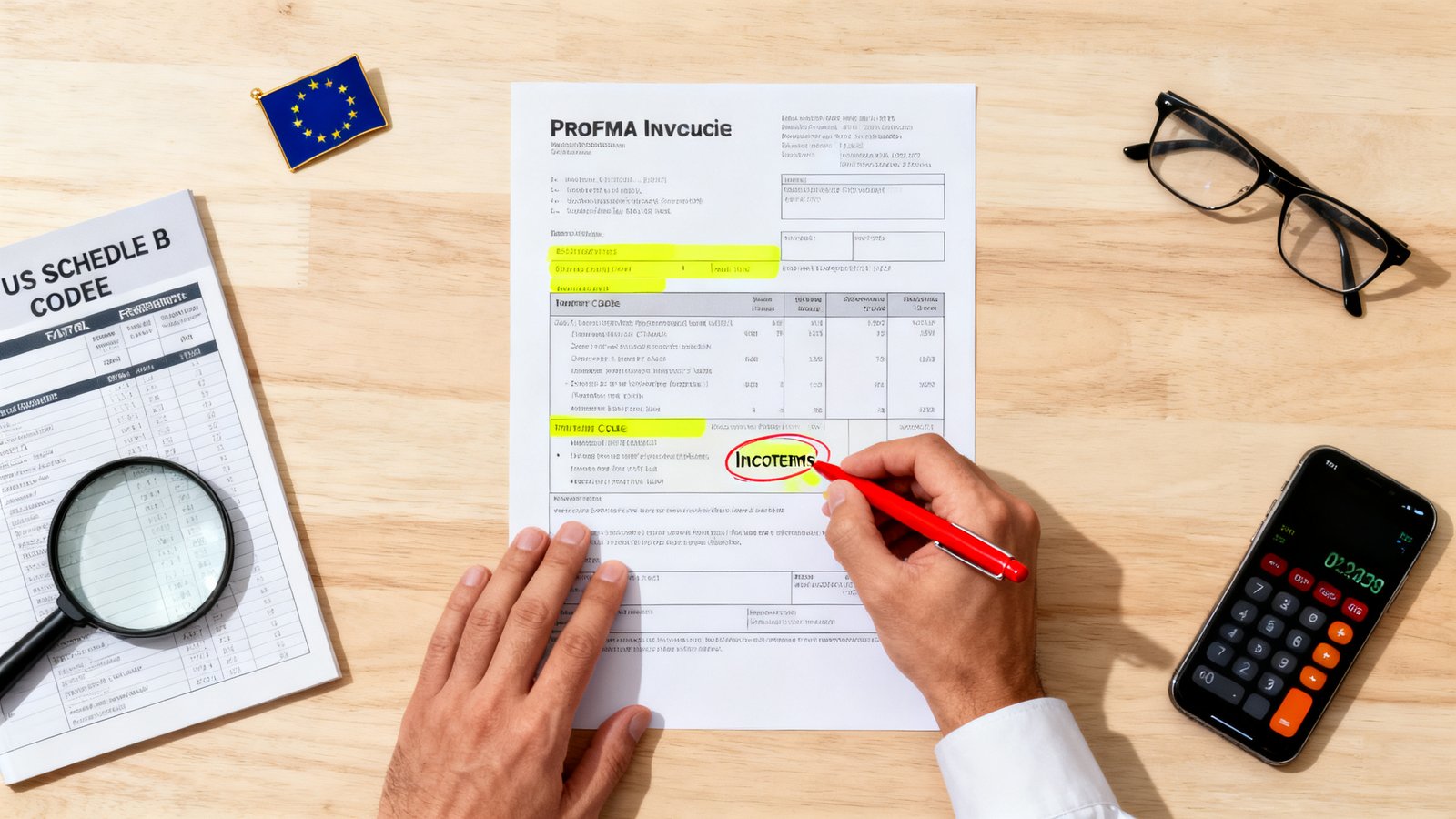
The annotated example in our downloadable template shows exactly where each of these fields sits on a single page layout, so you can hand it to a customs officer without them needing to search for anything. If you need a simple starting point that you can edit, an editable invoice template gives you the flexibility to reposition fields for different destination countries.
Proforma invoice vs invoice — when customs will accept a proforma (and when it won’t)
Exporters often treat a proforma and a commercial invoice as interchangeable documents. They are not. Understanding the difference determines whether your shipment clears or gets held for documentation.
A proforma invoice is a preliminary document issued before shipment. It quotes terms, describes goods, and helps the buyer arrange payment or financing. A commercial invoice is the final, legally binding bill issued at the time of shipment that customs uses to assess duties and taxes.
According to DripCapital, in limited circumstances, CBP may accept a pro forma invoice when the commercial invoice cannot be produced at time of entry, provided the importer posts a bond and produces the commercial invoice within 120 days. The key word is “limited.” This is an exception process with a financial guarantee attached, not a standard operating procedure. DripCapital also advises: always issue a separate commercial invoice at time of shipment.
- When to use a proforma invoice: Pre shipment quotes, letter of credit applications, buyer financing requests, import permit applications, customs pre clearance in certain jurisdictions.
- When you must use a commercial invoice: At the time of actual shipment, for final customs entry and duty assessment, for ownership transfer, and for your own accounting and tax records.
- Timeline risk: If you only issue a proforma and fail to produce a commercial invoice within 120 days for a US entry where CBP accepted the proforma provisionally, the importer forfeits the bond and the entry may be re assessed with penalties.
If you are still managing invoices manually, switching to a reliable simple invoice template free platform can help you generate both proforma and commercial versions without duplicating data entry.
How to make the free template customs ready (step by step)
Most generic proforma invoice templates are structurally fine. They have a header, a line item table, and a totals section. What they lack are the customs specific blocks. You can add those blocks manually in about 15 minutes. Here is the exact process:
- Add a tariff code column to your line item table. Label it “HS Code (EU) / Schedule B (US)” and insert the appropriate code for each product. Use the official TARIC database for EU codes or the US Census Bureau Schedule B search tool for US codes. Do not guess.
- Insert a country of origin row below each item. Add a line that reads: “Country of origin: [Country]” directly under the product description. If all items share the same origin, you can place one declaration in the footer, but per line is safer for mixed shipments.
- Add a validity expiration date near the document header. Place this directly below the invoice date. Use the phrasing: “This proforma invoice is valid until [DD/MM/YYYY].” Set the window based on your price volatility, 30 days for volatile goods, 60 to 90 for stable pricing.
- State Incoterms with the named place. Add a dedicated line: “Incoterms 2020: [Term] [Named Place]” (example: “Incoterms 2020: FOB Port of Shanghai”). Place this near the payment terms or delivery section.
- Add net and gross weight fields. Create two rows in the totals area: “Total Net Weight: [X] kg” and “Total Gross Weight: [X] kg.” If your items are counted in units, still include weight. Customs uses weight to verify shipment consistency.
- Describe packaging type and count. Add: “Packaging: [Number] x [Type]” (example: “Packaging: 3 x wooden crates, 12 x corrugated cartons”). Dimensions help but count and type are the minimum.
- Insert the accuracy certification statement and signature block. At the bottom of the document, add: “I certify that the information on this proforma invoice is true and correct.” Follow it with a name, title, date, and signature line. For electronic documents, check whether your destination country accepts e signatures. [NEEDS SOURCE: US CBP and EU customs authority guidance on electronic signature acceptance for proforma invoices]
Proforma invoice sample PDF — where to download vendor templates and their limits
Several major SaaS invoicing platforms offer free proforma invoice sample PDF downloads. They are functional starting points, but they all share practical limitations that exporters need to know before relying on them for customs submissions.
| Vendor | File Types | Known Limits |
|---|---|---|
| Zoho Invoice | PDF, Excel, and other formats | Limited to a single page in free tier; requires account creation for access; no customs portal integration |
| FreshBooks | Excel, PDF, and Word | Single page layout; limited customization options; requires account signup; no bulk template usage in free tier |
| QuickBooks | Word, Excel, PDF | Downloadable invoice templates available; requires account creation; limited advanced customization; no automatic integration with electronic customs portals |
As noted in the research synthesis, free proforma invoice templates in popular SaaS invoicing platforms such as Zoho Invoice, FreshBooks, and QuickBooks are available in a handful of formats and can be downloaded at no charge, but users often find that these templates are limited to a single page, lack advanced customization options, require account creation for access, and do not automatically integrate with electronic customs portals. Some platforms also impose download caps or restrict bulk template usage. [NEEDS SOURCE: exact vendor download caps for Zoho Invoice free tier, FreshBooks free tier, and QuickBooks free tier — check vendor pricing pages and support KB articles as of 2026-08-05T10:54:44.347-04:00]
For exporters who want to skip the account creation step entirely, an editable invoice template that opens directly in a browser without signup can be faster when you are generating a quote on a tight deadline.
Pricing reality and hidden limits for “free” templates and SaaS invoicing tools
“Free” in the context of proforma invoice template downloads almost always means free download with conditions. The template file itself costs nothing. What you pay is time and compliance risk. Here is what free actually means across the major vendors as of 2026-08-05T10:54:44.347-04:00:
- Account creation requirement: Zoho Invoice, FreshBooks, and QuickBooks all require you to create an account before downloading. This is a lead generation mechanism. The template is free, but your email address and time are the trade.
- Single page limitation: The free templates are designed for simple invoices. If your shipment includes more than 5 or 6 line items with customs fields, the single page layout breaks. You will need to manually extend the template, which often disrupts formatting.
- No customs portal integration: None of the free templates from these vendors automatically populate electronic customs declarations. You still need to retype or copy paste data into your country’s customs portal.
- Download caps and bulk restrictions: Some platforms impose limits on how many times you can download templates within a free tier period. [NEEDS SOURCE: specific download cap numbers for Zoho, FreshBooks, and QuickBooks free accounts — check vendor terms pages]
The real cost checklist for a free template looks like this:
- Time to add missing customs fields: 15 to 30 minutes per template the first time, plus 5 to 10 minutes per subsequent shipment for variable data like tariff codes and weights.
- Number of manual edits per shipment: typically 8 to 12 fields that must be updated or verified against changing regulations.
- Risk of rejection and re submission: if customs rejects a proforma, the delay compounds with every day the shipment sits in a warehouse or port.
Recurring user complaints about proforma invoice templates for advance international billing
Exporters who use generic templates for international billing report the same frustrations repeatedly. These are not edge cases. They are systemic gaps in template design that cause real delays. According to the research synthesis, common complaints include the absence of mandatory customs fields like HS/Schedule B codes and country of origin declarations, difficulty in updating exchange rates or Incoterms across multiple quotes, lack of electronic signature or certification options, and the manual effort required to align the template with the exact format demanded by different customs authorities, which can lead to delays or re submissions. [NEEDS SOURCE: linkable user reviews on G2, Trustpilot, or Reddit threads documenting these specific complaints for Zoho Invoice, FreshBooks, and QuickBooks proforma templates — search vendor review sites and forums]
Here are the recurring complaints and quick fixes for each:
- Missing HS/Schedule B codes: The template’s line item table has no column for tariff classification. Fix: Add a dedicated column labeled “HS/Schedule B Code” and populate it per item before sending.
- No country of origin field: Generic templates assume domestic shipments where origin is irrelevant. Fix: Insert a “Country of Origin” row directly under each product description or in the document footer with a clear label.
- Difficulty updating exchange rates across multiple quotes: Templates do not auto pull FX rates. If you quote in USD and a buyer needs EUR, the manual conversion introduces error risk. Fix: Use a separate FX conversion reference line, date the rate used, and note the source (e.g., ECB rate as of [date]).
- No electronic signature or certification option: Most templates lack even a basic signature block. Fix: Add the certification statement and signature lines manually as described in Step 7 above.
- Format mismatch across different customs authorities: The EU and US expect different label conventions. A single template cannot serve both perfectly. Fix: Maintain two destination specific templates as recommended in the Pro Tip.
Who this template is NOT for
A downloadable proforma invoice template, even a fully customs ready one, has hard boundaries. There are specific use cases where it is the wrong tool and using it will create compliance exposure. Here is who should not rely on this approach:
- Exporters shipping regulated goods requiring export licenses: If your products fall under ITAR, EAR, dual use regulations, or require special export permits, a template does not auto populate the license numbers and regulatory statements required. You need a compliance aware system or legal review. [NEEDS SOURCE: US export administration regulations and EU dual use regulation guidance on documentation requirements — check BIS and EU TARIC resources]
- Shipments requiring digital customs portal XML submission: Some EU member states and US CBP’s ACE system accept or require electronic data submissions in specific XML formats. A PDF or Word template cannot generate those files. You need software that exports to the required schema. [NEEDS SOURCE: specific EU member state customs portal requirements and US CBP ACE documentation — check national customs authority websites]
- Goods subject to anti dumping or countervailing duties: These shipments require additional declarations and often specific invoice language that varies by case. A generic template will not include the required legal statements. [NEEDS SOURCE: EU TARIC anti dumping measures and US CBP ADD/CVD documentation requirements]
- Large corporate exporters requiring ERP integration: If your team processes hundreds of proforma invoices monthly across multiple departments, a standalone template creates version control chaos. You need an ERP with customs documentation modules.
- Letter of credit transactions with strict documentary requirements: LCs often specify exact invoice wording, formatting, and even paper type. A downloadable template is unlikely to satisfy all LC conditions without significant manual adjustments and bank review.
Alternatives — when to use a commercial invoice, a customs broker, or ERP automation
If a free or customizable proforma invoice template is not sufficient for your shipping volume or complexity, here are three alternatives and when to choose each one.
1. Issue a commercial invoice at shipment plus a proforma for pre finance
This is the standard approach for most exporters. Use the proforma for quoting, financing, and permit applications. Always generate a separate commercial invoice at the time of actual shipment. As DripCapital states, always issue a separate commercial invoice at time of shipment, and CBP may accept a pro forma invoice when the commercial invoice cannot be produced at time of entry provided the importer posts a bond and produces the commercial invoice within 120 days. Pick this if: You ship fewer than 10 international consignments per month and can manage two document sets manually without missing the 120 day deadline.
2. Use a customs broker to generate documentation
A licensed customs broker can prepare both proforma and commercial invoice documentation in the exact format required by the destination country. They stay current on regulatory changes and can handle electronic submissions to customs portals. Pick this if: You ship to multiple countries with varying requirements, deal with regulated or high value goods, or have faced customs delays in the past and cannot afford another hold. The cost is the broker’s fee per entry, which varies by country and shipment complexity. [NEEDS SOURCE: typical customs broker fee ranges for documentation preparation — check freight forwarder and broker pricing pages]
3. Use ERP or SaaS with customs integrations
Platforms that integrate with ERP systems and customs portals can auto populate tariff codes, origin declarations, and electronic submission formats. This reduces manual entry errors and speeds up clearance. Pick this if: You process more than 50 international shipments per month, your team already uses an ERP, and the cost of integration is justified by reduced re submission rates and faster customs clearance.
Downloadable deliverables
We prepared three files that work together as a complete customs ready documentation kit for small to mid sized exporters shipping to the EU and US. Each file is designed to be printed, shared, or uploaded directly to customs portals where PDF submissions are accepted.
- Customs Ready Proforma Invoice Template — Available as Proforma_Invoice_Template_Customs_Ready.docx, Proforma_Invoice_Template_Customs_Ready.xlsx, and Proforma_Invoice_Template_Customs_Ready.pdf. Contains all 14 mandatory fields from the checklist above, pre positioned in a single page layout with labeled placeholders for HS/Schedule B codes, origin declaration, validity date, Incoterms, weight, packaging, and accuracy certification.
- Annotated Proforma Invoice Example for EU/US — Annotated_Proforma_Example_EU_US.pdf. A filled sample showing exactly where each customs critical field sits, with margin notes explaining why each field matters to the customs officer reviewing your shipment.
- One Page Customs Checklist PDF — Customs_Officer_Checklist_Proforma.pdf. A printable reference sheet listing all mandatory fields with a checkbox for each. Hand this to your shipping clerk or use it yourself before sending any proforma invoice to a buyer or customs authority.
The template can be exported in PDF, Excel, and other formats, matching the file type flexibility that vendors like Zoho and FreshBooks advertise, but with the customs specific fields already built in so you do not need to add them manually.

Conclusion: who should download and who should skip
If you are an export manager, founder, or finance lead at a small to mid sized company shipping to the EU or US fewer than 20 times per month, and you currently use Excel or a basic SaaS template, this customs ready proforma invoice template is built for you. It closes the specific gaps that cause customs rejects, missing tariff codes, absent origin declarations, and omitted validity dates. You can download it, customize it with your logo, and use it today without paying for a consultant or upgrading your invoicing platform.
If you ship more than 50 consignments monthly, deal in regulated goods, or need direct customs portal integration, skip the standalone template. Invest in an ERP module or work with a customs broker who prepares documentation that meets the exact electronic submission standards of your destination countries. The risk of a single rejected shipment often costs more than a year of broker fees.
For everyone in between, download the three file kit, run through the checklist before your next shipment, and keep the annotated example pinned to your shipping station wall. The difference between a cleared shipment and a delayed one is often six fields on a single page.
FAQ
Can a proforma invoice be used for customs clearance in the US?
In limited circumstances, CBP may accept a proforma invoice when the commercial invoice cannot be produced at time of entry, provided the importer posts a bond and produces the commercial invoice within 120 days. This is an exception process, not standard procedure. Always issue a commercial invoice at time of shipment.
What is the difference between a proforma invoice and a commercial invoice?
A proforma invoice is a preliminary quote issued before shipment, used for buyer financing, import permits, and price negotiation. A commercial invoice is the final legally binding document issued at shipment that customs uses for duty assessment and ownership transfer. They serve different stages of the transaction.
How long is a proforma invoice valid for?
The validity period is set by the seller and must be stated explicitly on the document. Common windows are 30, 60, or 90 days depending on price volatility and lead times. Once the validity expires, the quoted prices and terms are no longer binding unless reissued.
Do free proforma invoice templates include HS codes and country of origin fields?
Most generic free templates from Zoho Invoice, FreshBooks, and QuickBooks do not include HS code columns, country of origin declarations, or accuracy certification statements. These fields must be added manually before the document meets EU or US customs requirements.
Why does customs reject proforma invoices?
The most common rejection reasons are missing HS or Schedule B tariff codes, absent country of origin declarations, lack of an explicit validity period, incomplete Incoterms without a named place, and no accuracy certification statement. Each of these gaps can be fixed by adding the corresponding field to a basic template.