

Cleaning business invoice template free download: owners who switched from generic invoices to a purpose-built residential and commercial invoice template report average payment times of roughly 15 days for residential jobs and around 30 days for commercial contracts, according to a synthesized report from Novo. The right template won’t just list services—it conditions your clients to pay faster. If you’re still tweaking a generic form, you’re leaving days of float on the table.
Key Takeaways
- Owners using a dedicated cleaning invoice see residential payments in roughly 15 days and commercial ACH in about 30 days, a material speed-up over ad-hoc invoicing (Novo synthesized research).
- Required fields like service dates, recurring frequency markers, supply pass-throughs, and PO numbers for commercial clients eliminate the #1 cause of late payment: unclear line items.
- Not every tool fits all. We flag who this template works for, who should look at integrated options like Tofu or HousecallPro, and what pricing traps to avoid before you commit.
Quick verdict — is this cleaning business invoice template for your cleaning business?
Before you download, run this checklist. If you answer “yes” to most, a dedicated cleaning business invoice template will materially cut your receivables idle time.
- You serve a mix of residential and light commercial accounts, where one-off deep cleans sit alongside weekly recurring visits.
- You sometimes invoice for supplies, parking, pet-hair surcharges, or add-on services outside the base clean.
- Residential clients pay by card, but commercial clients typically remit ACH 30 days later.
- You’re currently using a generic Word invoice or a spreadsheet and noticing delayed payments when line items aren’t crystal clear.
- You need a template that supports both a billing address and a separate service address, plus license/EIN fields for commercial accounts.
If you only invoice one or two identical recurring jobs, a simple free invoice template may suffice, but as soon as you juggle residential weekly touch-ups, commercial monthly contracts, and add-ons, the template needs structure that generic forms don’t provide.
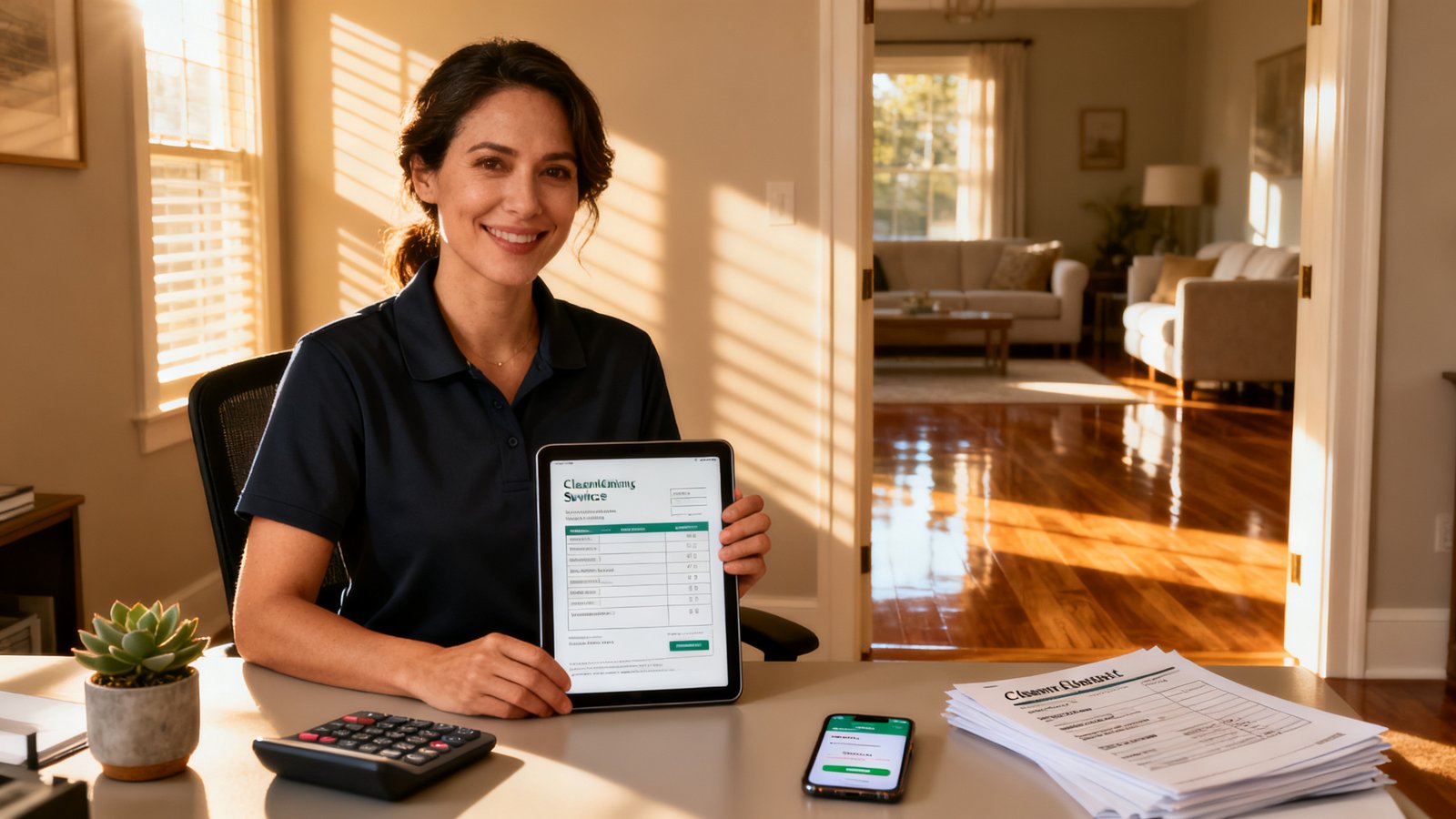
Why cleaning businesses need a dedicated cleaning service invoice
Most invoice templates assume one client, one job, one payment. Cleaning rarely works that way, as Novo points out. Your invoice must handle recurring billing, supply reimbursements, property-specific details, and sometimes a PO number for a corporate AP department. A generic template doesn’t natively surface service frequency or separate labor from supplies, which leads to back-and-forth emails that slow payment.
Example: A residential deep clean might include kitchen appliance detailing and a pet-hair surcharge. A commercial monthly contract might need separate line items for floor buffing and a parking surcharge, plus a Net 30 term. A generic invoice forces you to cram that into a single “cleaning service” line, and clients question the total—or ignore it.
A editable invoice template built for cleaning already expects those splits. That’s why the cleaning service invoice from a purpose-built template can cut the “what’s this charge?” follow-up calls that ruin your schedule.
Essential invoice fields every cleaning company must include
Pull up your house cleaning invoice template and run it against this list. Every field is non-negotiable for residential or commercial jobs, per SumUp and Portant.
- Your business name, address, phone, email, license/EIN. Commercial clients need your EIN and license number for their records.
- Unique invoice number. Sequential, unchangeable. Critical for tracking and commercial AP systems.
- Invoice issue date and due date / payment terms. Explicit Net 7, Net 15, or Net 30 terms, not “upon receipt.”
- Client billing address and service address. If the property you cleaned is different from the billing office, show both.
- Service date(s). Especially for recurring jobs, every visit date reduces disputes.
- Detailed line items: service description, quantity, unit rate, amount. Standard clean, deep clean, add-on, supplies, parking, etc.
- Supplies, taxes, surcharges as separate lines. Sales tax depending on jurisdiction, pet-hair or parking surcharges.
- Subtotal, tax total, and total amount due. Crystal clear.
- Accepted payment methods. Card, ACH, check, with any associated instructions.
- Late-fee language and discount terms. Optional but speeds payment when stated up front.
- Notes / special instructions. “Thank you” note plus property-specific access info if relevant.
Pro tip: If you’re sending a simple invoice template free version to a commercial client without your EIN, expect a payment hold.
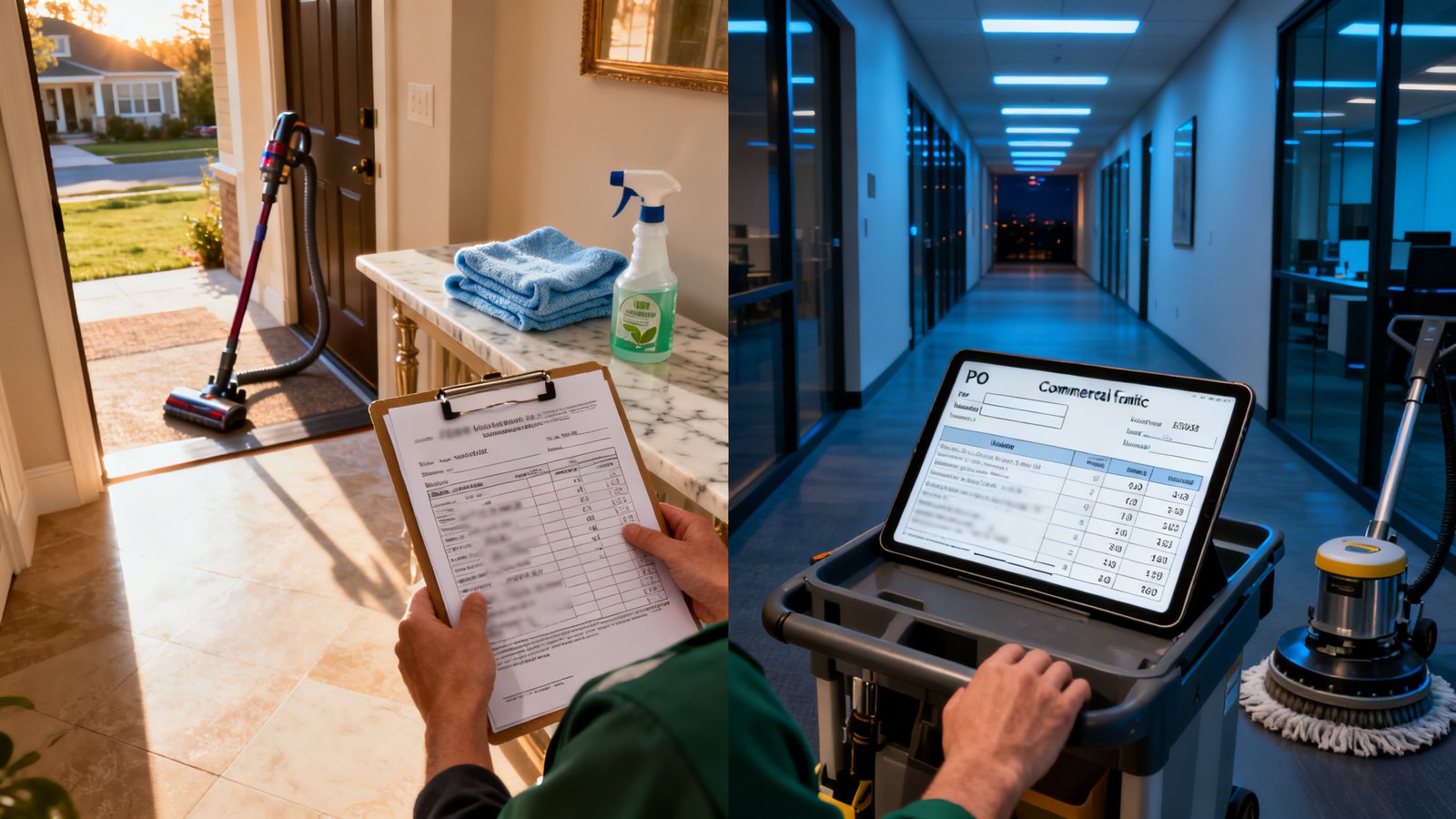
Residential vs Commercial: what to change on the invoice
Use the same base residential cleaning invoice free structure, then toggle these differences. Commercial clients often operate on Net 30 ACH terms, while residential pay by card and clear faster—around 15 days in the synthesized data.
Residential
- Payment term: Net 7–15 (card preferred).
- Service address is usually the billing address.
- Line items: rooms cleaned, add-ons, supplies.
- License/EIN not typically required by customer, but nice to have.
- Sales tax may apply depending on state.
Commercial
- Payment term: Net 30, ACH or check.
- Separate billing address and service address.
- Line items: square footage, per-floor or per-service day rates, PO number.
- EIN and certificate of insurance often required on invoice.
- Often tax-exempt; verify exemption certificate.
This split prevents the “I paid but it was the wrong entity” scenario that ties up cash.
Line items that prevent disputes (service types, frequencies, and property details)
A maid service invoice without granular line items invites pushback. InvoiceQuick notes that listing labor hours, rooms cleaned, supplies, add-ons, and taxes with professional line items directly reduces disputes.
| Description | Qty | Unit Rate | Service Date | Notes |
|---|---|---|---|---|
| Standard clean (3 bed, 2 bath) | 1 | $150 | 03/05/2026 | Recurring weekly |
| Kitchen deep clean | 1 | $45 | 03/05/2026 | Add-on |
| Pet hair surcharge | 1 | $15 | — | Two shedding dogs |
| Supplies (eco products) | 1 | $12 | — | Client authorized |
Another common mistake: not marking a one-off deep clean vs. a recurring visit. Show frequency in the line note or a dedicated “Frequency” field to set billing expectations.
Payment terms, follow‑up schedule, and the impact on receivable speed
Switch from “upon receipt” to explicit terms on your cleaning company billing template. According to the Novo synthesized research, average payment times drop to about 15 days residential and 30 days commercial after adopting a dedicated invoice template with clear terms and follow-up.
- Residential: Net 15 with a 2% discount if paid within 7 days (if your margin allows).
- Commercial: Net 30, with a 1.5% monthly late fee after grace period, as long as your jurisdiction allows.
- Follow-up cadence: Send invoice immediately after service. Day 1: automated “thank you” with invoice link. Day 7: friendly reminder email. Day 14: second reminder with late fee notice. Day 28: final notice before collections.
Sample follow-up email (day 7):
Subject: Friendly reminder — invoice #1047 for cleaning on [date]
Hi [Name], just checking if everything looked okay on invoice #1047 for the cleaning on [date]. The total is $[amount] and is due by [due date]. You can pay online here: [link]. Thanks again for trusting us with your home!
Accepted payment methods and how they affect timing and fees
List accepted methods clearly on your commercial cleaning invoice. Novo notes residential clients default to card, commercial to ACH. Each has cash flow and fee implications.
- Credit/Debit card: Fast settlement (1–3 days) but processing fees of about 2.6%–3.5% + $0.10 per transaction eat into residential margins. Strip the fee or build it into pricing.
- ACH: Slower (3–5 business days) but low flat fee ($0.50–$1.00) or free with some bank integrations. Commercial clients prefer it.
- Check: No processing fee, but mail float adds 5–7 days, plus a trip to the bank.
- Digital wallets: Emerging for residential; fees similar to cards but convenience may speed payment.
On the invoice, state: “We accept Visa, Mastercard, ACH, and checks. Card payments subject to 3% processing fee” or none, depending on your policy. Ambiguity causes delays.
Ready‑to‑use templates: house, janitorial, maid, and commercial invoice samples
The following annotated samples follow the structure from HousecallPro’s invoice example and InvoiceQuick line-item guidance. Use a janitorial invoice template for recurring monthly accounts, a maid service invoice for per-visit billing, and so on.
House cleaning invoice template (3‑bed/2‑bath example)
Line items: Standard home cleaning — $150; Kitchen deep clean — $45; Bathroom detailing (2 baths) — $40; Subtotal: $235; Tax (8.25%): $19.39; Total: $254.39.
Payment: Net 15, card/ACH/check.
Note: “Recurring every other Thursday — next service 03/19/2026.”
Janitorial invoice template
Covered period: March 1–31, 2026.
Line items: Daily office cleaning (22 days) — $1,200; Trash removal — $80; Floor buffing (2x) — $200; Supplies restock — $50; Tax (if applicable): $0 (tax-exempt). Total: $1,530.
Payment: Net 30 ACH, PO# JM-2234 required on invoice.
Note: “This is a monthly recurring invoice.”
Maid service invoice (per visit + add‑ons)
Service date: 03/05/2026.
Line items: 4-hour maid service — $140; Inside fridge clean — $30; Pet hair removal — $20; Eco cleaning supplies — $10; Total: $200.
Payment: Due upon receipt; card preferred.
Note: “This is a one-time deep clean. Recurring schedule starts next week.”
Commercial cleaning invoice (monthly billing, PO, insurance)
Billed to: XYZ Property Management, 123 Corporate Dr., Suite 400, with separate service address for Building B.
Line items: Common area cleaning (monthly flat) — $2,500; Window cleaning (once) — $300; Parking surcharge — $25; Subtotal: $2,825; Tax exempt; Total: $2,825.
Payment: Net 30 ACH, PO# PO-8892. Certificate of insurance on file.
Invoice footer: EIN: 12-3456789, License #: CL-2024-0098.
All these can be built from a invoice template PDF free download base and customized.
How to handle recurring invoices, packages, and frequency fields
The cleaning business invoice template must make recurrence obvious. Novo suggests customizing line items, payment terms, follow-up schedule, and software setup for how your cleaning business bills.
- Add a frequency field: “Frequency: Weekly / Biweekly / Monthly / One-time.” Put it near the service details.
- Package pricing: If a client buys a monthly package of 4 visits, show the package name, total package price, and per-visit breakdown so there’s no confusion.
- Recurring invoice automation: In your chosen software, set the template to auto-generate on a schedule. Ensure the invoice number increments correctly and the service date updates.
- Deep clean initial visit vs. ongoing: For a new client, invoice the deep clean as a separate one-time line item with “initial deep clean” note, then switch to the recurring service line.
This eliminates the “I thought the deep clean was included every time” conversations.
Pricing reality for using invoicing tools (what to watch for)
When you move the cleaning service invoice into a proper tool, reviewers across G2 and vendor sites highlight a few gotchas. We’ve compiled what matters without citing specific plan prices because tiers change and this article is dated as of August 8, 2026. Check each vendor’s current pricing page before you swipe a card.
- Per-client or per-seat pricing: Some platforms limit the number of active clients or users on the starter plan. If you have 150 recurring clients, a plan capped at 50 clients forces an upgrade.
- Card processing fees: Rates sit around 2.6%–3.5% + $0.10 per transaction for residential. Compare in-app processor costs; a 0.2% difference adds up.
- ACH/check fees: Some charge a flat fee per ACH, others bundle it. Look for tools that integrate with your bank’s free ACH service.
- Hidden add-ons: Recurring invoice automation, estimates, and integration with scheduling apps (like HousecallPro’s booking) are often locked behind higher tiers. Confirm what’s included.
- Free trial limits: Many offer a 14-day free trial, but some restrict you to 3 invoices. That might not be enough to test workflow.
Don’t sign up without reading the plan’s fine print on invoice volume caps and whether the “unlimited” claim applies to the plan you’re picking.
Who this template is NOT for
This commercial cleaning invoice template and manual customization approach won’t fit:
- Franchised cleaning brands requiring consolidated AR dashboards across multiple locations and mandatory ERP integrations.
- Large enterprise janitorial firms with W‑2 crews and complex union payroll allocation that must be mirrored on client invoices with cost‑plus structures.
- Cleaning businesses where every invoice must pass through a client’s procurement portal with electronic PO matching. As one industry professional noted, large companies may have AP departments cutting hundreds of payments; respecting their process means using EDI or portal-based invoicing, not a PDF template.
If you fit above, look at field service management platforms like HousecallPro or enterprise tools; a standalone template will bottleneck your billing.
Recurring complaints and pitfalls (from real users)
InvoiceQuick catalogs the most frequent errors that slow payment or spark disputes on a house cleaning invoice template. We’ve paired each with a quick fix.
- Unclear deep clean vs. standard clean pricing. Fix: Always break out deep clean line items separately with a note “Initial deep clean — one-time.”
- Missing add-on charges (pet hair, parking, supplies). Fix: Add a dedicated “Surcharges/Add-ons” section; never bury them in the labor line.
- No service date for recurring jobs. Fix: Pre-fill the specific visit date, not a date range, on every invoice.
- Sales tax not separated. Fix: Show subtotal, then tax rate and amount, even if tax is zero (note “tax-exempt” with certificate reference).
- Not listing accepted payment methods. Fix: Print all methods on the invoice footer; it’s a trust signal.
- Jargon or internal codes unintelligible to clients. Fix: Use plain English: “Kitchen deep clean” not “KDCS.”
Many disputes vanish once you stop making clients guess what they’re paying for.
Alternatives — pick one if this template isn’t enough
If you’d rather have software handle recurring scheduling, online payments, and client portals, here are three options that complement a cleaning company billing template or replace it entirely.
| Tool | Best for | Key strength | Main limitation |
|---|---|---|---|
| Tofu | Residential & light commercial | Recurring invoices, job‑specific line items, fast setup | No integrated scheduling; you’ll still use a separate booking tool |
| HousecallPro | Full‑service cleaning ops | Booking, dispatching, and invoicing with payment links; invoice template modeled after their example | Higher cost; users on G2 mention the per‑tech pricing can get expensive for small teams |
| SumUp | Solopreneurs needing simple invoicing | Free invoice generator with required legal fields per SumUp’s guide | Limited customization; recurring automation locked behind paid plan |
Tofu’s cleaning‑service invoicing review highlights that its field‑friendly line items keep things clean. Simple invoice template free can be a starting point if you only send a few invoices a month.
Implementation checklist & next steps (what to configure first)
Adapt the maid service invoice layout, then run through this list:
- Fill in your business name, address, phone, email, EIN, and license number on the template.
- Set the invoice numbering scheme: start from a number like #1001 and never repeat.
- Define your core service line items with clear descriptions and unit rates.
- Add a frequency field (One‑time / Weekly / Biweekly / Monthly).
- Pre‑set payment terms: Net 15 residential, Net 30 commercial. Include late fee language.
- List accepted payment methods with any fee disclaimers.
- If using software, configure recurring invoice automation and test with two real clients.
- Set up automated payment reminders: immediate thank‑you, day 7 nudge, day 14 notice.
- Check if your jurisdiction requires sales tax on cleaning; consult a local accountant.
- Send a sample to a friendly client for feedback on clarity.
Customize follow‑up schedule and software setup as Novo recommends, and you’ll have a billing engine, not just a form.
FAQ (short answers only)
Do I need my EIN on the invoice for residential clients?
Not required by most homeowners, but if you provide a residential cleaning invoice free to a client who runs a home office and needs it for tax records, having your EIN on file adds trust. Commercial clients nearly always require it (source: SumUp).
How should I show supplies on the invoice?
List supplies as a separate line item, not bundled into labor. Use a description like “Eco cleaning supplies (client authorized)” with quantity and unit price, per InvoiceQuick’s guidance.
Where do I indicate the cleaning frequency?
Add a “Frequency” field near the service date or in the Notes section. For recurring jobs, state “Recurring every other Monday” so both parties are aligned; this is a common fix for disputes cited in the research.
Can I use the same template for one‑time and recurring jobs?
Yes, but toggle the frequency field and ensure the line items reflect a one‑time deep clean vs. ongoing visits. Software like Tofu lets you create separate recurring templates.
What if I need an invoice template that’s fully editable and free?
A free invoice template like BrandedInvoice gives you a starting canvas. You can then add the cleaning-specific fields we covered. For advanced automation, pair it with a low‑cost tool.
Conclusion
If you run a cleaning company juggling residential and light commercial accounts, a dedicated cleaning business invoice template structures billing so you get paid roughly two weeks faster. The speed‑up comes from including every field an AP department or homeowner needs to push the payment button the same day: service dates, clear add‑ons, explicit terms, and a visible payment method. Grab the free download, configure it with the checklist above, and stop leaving cash inside generic forms. For franchise networks or large enterprise janitorial with mandatory PO matching, skip the template and evaluate integrated platforms like HousecallPro. For the rest of you, this template removes the invoicing guesswork—and that alone is worth the 15‑day receivable.