

Key Takeaways
- Switching from spreadsheets to a properly designed modern invoice template cuts per invoice creation time by roughly 80 to 85 percent, saving 25 hours or more per month for businesses sending 100 invoices.
- Mobile first layouts with click to pay buttons and automated reminders lift payment completion rates by 17 to 28 percent while reducing disputes and days sales outstanding.
- Clean design is not just about looks. Accessibility specs like 16px minimum body text and 4.5:1 contrast ratios keep your invoices legally readable across all 50 states and on every device.
- Why modern invoice templates outperform spreadsheet invoices
- 2026 design trends that actually boost payment completion
- Features top templates include that reduce late payments and disputes
- Common user complaints about aesthetic invoice designs and how to fix them
- Time and cost savings: the ROI of switching from spreadsheets
- Customization: what clients ask for most and what matters for clean design
- Mobile first rendering: the gap most guides miss and why it is critical
- Technical specs for a beautiful invoice that is legally professional in all 50 states
- Quick implementation checklist and template examples to ship this week
- Appendix: short list of KPIs to track post launch
- Conclusion
- FAQ
Why modern invoice templates outperform spreadsheet invoices
If you are still building invoices inside a spreadsheet, you are leaving money on the table. A modern invoice template is not just a cosmetic upgrade. It is a conversion tool that directly affects whether a client pays you on time, disputes a line item, or opens your PDF at all on their phone.
Spreadsheets fail for one simple reason: they were never designed for payment collection. They are data entry tools. When you send a spreadsheet based invoice, your client sees cluttered rows, ambiguous totals, and no clear call to action. On mobile, the experience gets worse. Tiny cells, horizontal scrolling, and broken layouts create friction at the exact moment you want someone to pay.
The behavioral gap is measurable. According to 2026 conversion rate benchmarks, mobile converts roughly 42 percent lower than desktop (1.82 percent versus 3.14 percent) when layouts are not optimized. Spreadsheets magnify that gap. A properly structured modern invoice template can reach approximately 2.8 percent mobile conversion rates by removing that friction entirely.
What changes? Three things. First, the layout is built around a single action: pay now. Second, the visual hierarchy makes the total, due date, and payment method obvious in under two seconds. Third, the design works on any screen. These are not nice to haves. They are directly tied to cash flow.

Many freelancers and small business owners start with a free invoice template because it feels like the safest option. But generic free templates often carry the same usability problems as spreadsheets: poor mobile rendering, no payment integrations, and weak visual cues. The difference between a random free template and a purpose built modern invoice template is the difference between getting paid in three days versus thirty.
2026 design trends that actually boost payment completion
Trends come and go. The ones that matter for invoices are the ones with data behind them. In 2026, four design trends are driving real improvements in payment completion rates.
Minimalist layouts with generous white space reduce cognitive load. When a client opens your invoice, they should not have to hunt for the total or the payment button. White space isolates those elements and makes them unmissable. SeekDigit research confirms that clutter reduction directly increases action taking behavior.
Trust building elements like verified badges, consistent branding, and professional color palettes signal legitimacy. A client who trusts the invoice is less likely to question charges and more likely to pay immediately. Placing these signals near the payment section creates a psychological safety net at the point of decision.
Micro interactions provide subtle feedback. A button that changes color on hover, a smooth transition when expanding line items, or a gentle pulse on the due date. These details guide attention without overwhelming the user. Static spreadsheets cannot replicate this layer of clarity.
AI personalization is the fourth trend and the one with the biggest potential upside. Dynamic elements like predictive payment reminders tailored to client behavior, personalized CTA copy, and smart due date suggestions can boost conversions by 30 to 40 percent according to data cited by Red Rattler Creative. Multi step or progressive disclosure interfaces lift conversions by approximately 21 percent by reducing upfront overwhelm.
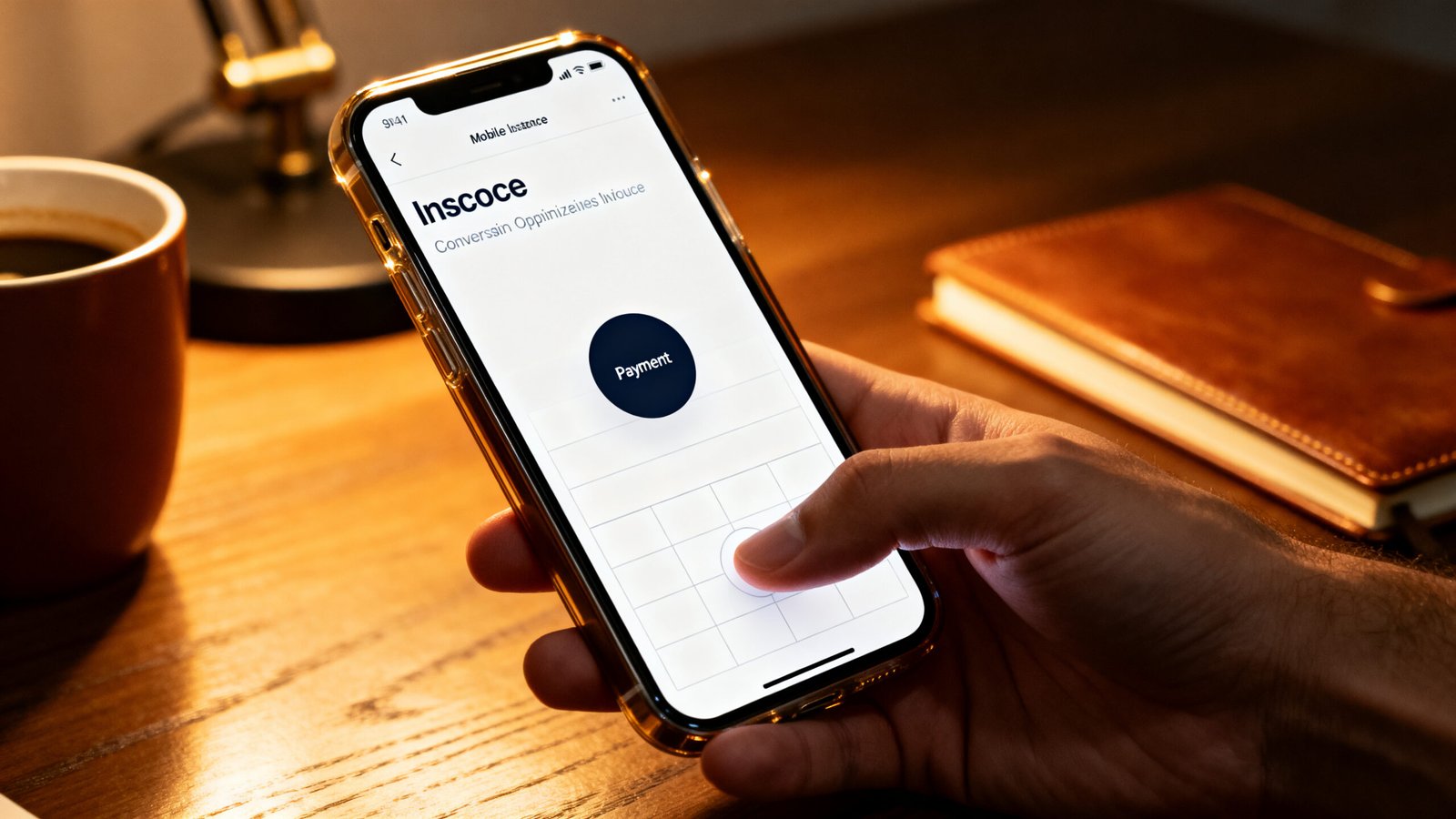
A simple invoice template free of clutter but loaded with these behavioral design elements will consistently outperform a visually elaborate template that ignores them. Focus on function first.
Features top templates include that reduce late payments and disputes
Late payments are rarely about the money. They are about friction, forgetfulness, and ambiguity. A minimal invoice template with the right feature set removes all three.
Prominent payment terms are non negotiable. The due date, accepted payment methods, and any late fee policy should sit in the top third of the invoice. If a client has to scroll or search, you have already lost their attention. Pair those terms with trust seals near the payment section. Printful research shows trust seals can increase conversions by approximately 42 percent. On an invoice, that translates to fewer disputes and faster payment.
Click to pay buttons are the single highest impact feature you can add. A persistent, thumb friendly “Pay Now” button that follows the user or sits prominently at the top and bottom of the invoice eliminates the step where a client closes the PDF and forgets about it. Combine this with biometric payment options like Apple Pay or Google Pay and you remove the friction of typing card details.
Automated follow ups and microcopy are the silent workhorses. A polite reminder that says “Payment due in 3 days. No credit card required.” performs significantly better than a blunt “Overdue” notice. Research shows automated reminders and personalized microcopy produce 17 to 28 percent lifts in payment completion. An editable invoice template that supports scheduling these follow ups turns a static document into a collection system.
Conditional fields and progressive disclosure keep the invoice clean. Show essential line items first. Let clients expand details if they want them. This keeps the primary view focused on the total and the payment action while still providing full transparency when requested.
Accessibility features like keyboard navigable CTAs, proper alt text on logos, and sufficient color contrast serve a dual purpose. They make the invoice usable for everyone and they reduce the likelihood of misinterpretation disputes. A client who cannot read the tax line is a client who will email you with questions instead of paying.
Common user complaints about aesthetic invoice designs and how to fix them
Pretty does not always mean functional. Users consistently report four complaints about aesthetic invoice design choices that prioritize style over usability.
Poor print compatibility tops the list. Dark backgrounds, heavy animations, and non standard fonts that look gorgeous on screen often break when printed. Layouts shift, fields get cut off, and the invoice becomes illegible. The fix is straightforward: implement print CSS with media queries that strip animations, switch to system fonts, and ensure all critical fields render within standard page margins.
Missing tax fields or cluttered layouts create ambiguity. Some designers hide tax breakdowns behind minimalist accordions or bury subtotals in decorative footers. Clients need to see exactly what they are paying and why. A dedicated, high contrast tax section with clear labels solves this. Do not sacrifice clarity for minimalism.
Illegible text on mobile or in print is a direct result of style choices overriding accessibility. Dopamine color palettes with low contrast, tiny decorative fonts, or kinetic text animations make invoices unreadable. The baseline fix is simple: body text at 16px minimum with a contrast ratio of 4.5:1 or higher. These are not arbitrary numbers. They are the standard for readable documents everywhere.
Overly decorative elements distract from the payment action. Heavy borders, background patterns, and excessive micro interactions pull attention away from the total and the pay button. Limit decorative elements to the header or footer. Keep the payment zone visually quiet and purposeful.
| Complaint | Root Cause | Fix |
|---|---|---|
| Poor print output | No print CSS, dark backgrounds | Add print media queries, use white backgrounds |
| Missing tax fields | Over simplification of layout | Dedicated tax section with clear labels |
| Illegible on mobile | Small fonts, low contrast | 16px body minimum, 4.5:1 contrast ratio |
| Distracting decorations | Excess animations and patterns | Confine styling to header and footer zones |

Time and cost savings: the ROI of switching from spreadsheets
The business case for switching to a contemporary invoice template is not theoretical. It shows up in the hours you reclaim every single month.
Manual spreadsheet invoicing takes roughly 15 to 30 minutes per invoice. You are formatting cells, adjusting column widths, copying client details, recalculating totals, and exporting to PDF. Multiply that across 100 invoices in a month and you are spending 25 to 50 hours just on billing. That is an entire workweek lost to administrative overhead.
A pre built contemporary invoice template with smart fields and automation reduces that to roughly 2 to 5 minutes per invoice. Drop in the line items, verify the totals, and send. The reduction is approximately 80 to 85 percent. For 100 invoices per month, that saves about 25 hours. At a conservative $20 to $40 hourly rate, the monthly savings land between $500 and $1,000. Annually, that is $6,000 to $12,000 back in your pocket or reinvested into the business.
These numbers only account for creation time. Add the compounding effects of faster payments (reduced days sales outstanding), fewer disputes (less time on reconciliation calls), and automated follow ups (no manual reminder emails) and the real ROI climbs higher. DesignRush CRO data supports that high impact optimization programs deliver 40 to 60 percent annual improvements when applied consistently.
An invoice template PDF free download might get you started. But pairing it with automation and smart design choices is what unlocks the compounding savings.
Customization: what clients ask for most and what matters for clean design
Clients ask for five customization options most often. Some of them improve usability. Some of them quietly destroy it.
Logo placement is the top request and it is genuinely useful. A logo in the top left corner builds instant recognition and trust. It belongs there. Do not center it in a way that pushes the total below the fold.
Color scheme requests come second. Clients want their brand colors on the invoice. Soft palettes work well for backgrounds and accents. Reserve dopamine hues for the CTA button only. The moment you apply a bright brand color to the body text or the entire header, you risk dropping below the 4.5:1 contrast threshold and making the invoice illegible.
Field ordering is the third most requested customization and the one with the biggest impact on clean flow. Essential fields first (invoice number, date, total, payment terms). Details like hourly breakdowns or expense line items can sit in expandable sections. Conditional logic that hides irrelevant fields can lift engagement by approximately 11 percent.
Font tweaks and CTA copy personalization round out the list. Both are safe as long as the font remains web safe and readable at 16px minimum, and the CTA copy stays direct. “Pay Now” works better than “Complete Your Payment Experience.”
The critical rule for maintaining a stylish invoice template without breaking usability: limit active form fields to 1 to 4 essentials. Conversion rates for forms with 1 to 4 fields hover around 7 to 13 percent. That drops to roughly 2.4 percent when you hit 8 or more fields. Every extra field you ask a client to fill out is a reason they close the invoice and come back later. Most of them will not.
Mobile first rendering: the gap most guides miss and why it is critical
Most invoice template guides focus on desktop screenshots. They completely ignore the fact that roughly 65 percent of your clients will open the invoice on their phone first.
That gap between mobile traffic and mobile conversion is the silent killer of cash flow. Mobile converts approximately 42 percent lower than desktop (1.82 percent versus 3.14 percent) when templates are not optimized for small screens. Many businesses send beautiful invoice template designs that look stunning on a 27 inch monitor and fall apart on a 6 inch screen. Tiny text, horizontal scrolling, and payment buttons that require surgical precision to tap.
The fix is mobile first design. Start with the phone layout and scale up, not the other way around. Single page layouts prevent the need to scroll through multiple pages of line items. Click to pay buttons sized at a minimum of 44 by 44 pixels meet touch target standards. PDF file sizes under 500KB ensure fast loading even on spotty mobile connections.
Optimized mobile templates can hit approximately 2.8 percent conversion rates, nearly closing the gap to desktop performance. That difference flows directly into your bank account. If 100 clients view your invoice on mobile each month and your conversion rate improves from 1.8 to 2.8 percent, that is one extra payment you were not getting before. Scale that across a year and the revenue impact is real.
Technical specs for a beautiful invoice that is legally professional in all 50 states
Legal enforceability does not require legalese. It requires clarity. An invoice that a client cannot read or understand is an invoice they can reasonably dispute. These technical specs ensure your modern invoice template passes both the design test and the legal test in every state.
Font weights should range from 400 to 700. Body text needs a minimum of 16px. Headers should sit between 20 and 24px. These sizes guarantee readability on screen and in print without requiring magnification.
Contrast ratio must stay at or above 4.5:1 for body text. This is the Web Content Accessibility Guidelines standard and it applies just as much to legal documents as it does to websites. Test your color combinations with a contrast checker before finalizing.
White space is not wasted space. Margins between 20 and 40px around sections prevent visual crowding. Line height should be 1.5 to 2 times the font size. These ratios make the invoice scannable, which is exactly what a busy client needs when reviewing charges.
PDF file size should stay under 500KB. Vector based graphics keep logos sharp without bloating the file. Compress any embedded images aggressively. A slow loading PDF on mobile gets closed before the payment button appears.
Print CSS media queries are mandatory. They should strip background colors, remove animations, switch to black text on white, and ensure all critical fields fit within standard print margins. Test print output on at least two different printers before sending invoices to clients.
Alt text on logos, keyboard navigable CTAs, and proper heading hierarchy finish the accessibility checklist. These details do not just make the invoice professional. They protect you when a client claims they could not see the payment terms.
Quick implementation checklist and template examples to ship this week
You do not need a design team or a developer to get this right. Here is a step by step checklist and three starter patterns you can implement immediately.
Pick a base layout. Start with a single page minimal design that puts the total and pay button in the top third. Add a line item section that expands on demand. Include a dedicated tax subtotal area below the line items.
Add payment rails. Integrate a click to pay button that links to your payment processor. Stripe, PayPal, or Square all offer embeddable payment links. Make the button large, colored for contrast, and repeated at the bottom of the invoice.
Implement automated reminders. Set up a schedule: one reminder three days before the due date, one on the due date, and one three days after if unpaid. Keep the tone friendly and helpful.
Set print and media CSS rules. Test print output. Test mobile rendering on at least three different screen sizes. Fix any layout breaks before sending a single invoice.
Three starter template patterns to consider:
Single page minimal. Logo top left, invoice number and date top right. Total and payment button immediately below. Line items in a clean table with optional expansion. Tax and subtotal section at the bottom. Works for most freelancers and service businesses.
Line item detailed with clear tax section. Same top structure but with a more detailed breakdown of hours, rates, and expenses. Tax section clearly separated with its own subtotal line. Best for consultants and agencies with complex billing.
Branded click to pay. Full brand colors applied sparingly to header, logo, and CTA button only. Payment link prominently featured. Minimal field count (1 to 4). Optimized for mobile first viewing. Ideal for creative professionals who want brand consistency without sacrificing conversion.
Each of these patterns can be built from a free invoice template base and customized to your needs. The key is shipping quickly and iterating based on what your clients actually respond to.
Appendix: short list of KPIs to track post launch
Switching templates without measuring results is guesswork. Track these six metrics starting from day one.
On time payment rate. The percentage of invoices paid by the due date. Target a 15 to 20 percent improvement within three months of implementing automated reminders and clearer payment terms.
Days sales outstanding (DSO). The average number of days it takes to get paid after sending an invoice. Lower is better. A modern invoice template with click to pay and automated follow ups should reduce DSO by at least 5 to 10 days.
Dispute rate. The percentage of invoices that generate a question or dispute from the client. Clearer line items, dedicated tax sections, and trust signals should push this number down. Track it monthly.
Per invoice creation time. Time yourself for ten invoices. Average it. Compare to your old spreadsheet workflow. You should see the 80 to 85 percent reduction materialize immediately.
Mobile conversion rate. If your payment processor tracks device type, monitor the percentage of mobile viewers who complete payment. Target the 2.8 percent benchmark that optimized templates achieve.
PDF open and print rate. Some payment processors and invoice platforms show whether the PDF was opened and printed. Low open rates suggest delivery issues or poor subject lines. Low print rates are normal if most clients pay digitally.
Conclusion
A modern invoice template is one of the lowest effort, highest impact changes you can make to your business operations. The behavioral data is clear: minimalist layouts with prominent CTAs, mobile first rendering, and automated follow ups reduce late payments, cut disputes, and reclaim hours of administrative time every month.
The switch from spreadsheets to a purpose built modern invoice template saves roughly 25 hours and $500 to $1,000 per month for a business sending 100 invoices. Add the compounding effects of faster payments and fewer disputes and the annual return easily exceeds $10,000.
Start with a single page mobile first layout. Add a click to pay button. Set up automated reminders. Test on real devices. Measure the KPIs. The templates and tools exist. The only thing missing is the decision to switch. Grab a free invoice template today and start seeing the difference in your cash flow this month.
FAQ
What makes a modern invoice template better than a spreadsheet?
A modern invoice template is designed for payment conversion. It uses clear visual hierarchy, prominent payment buttons, mobile responsive layouts, and automated reminders. Spreadsheets lack these features, causing friction that delays payments and increases disputes. The time savings alone (roughly 80 to 85 percent per invoice) justify the switch.
Do minimalist invoice designs still look professional?
Yes. Minimalist designs with generous white space, clear typography, and strategic use of brand colors are considered more professional than cluttered layouts. The key is maintaining proper contrast ratios (4.5:1 minimum), readable font sizes (16px body minimum), and including all legally required fields like tax breakdowns and payment terms.
How much can I realistically save by switching invoice templates?
A business sending 100 invoices per month can save approximately 25 hours of manual formatting time, translating to $500 to $1,000 per month at standard hourly rates. Annual savings range from $6,000 to $12,000. Additional savings come from faster payments and fewer disputes, compounding the return further.
Are aesthetic invoice designs bad for mobile compatibility?
Not inherently, but many aesthetic designs prioritize desktop visuals over mobile functionality. Common problems include tiny text, unresponsive layouts, and payment buttons too small to tap. A mobile first approach with touch friendly targets (44px minimum), single page layouts, and PDFs under 500KB solves these issues.
What fields should I include on a clean invoice template?
Limit active form fields to 1 to 4 essentials for the best conversion rates. Include your logo (top left), invoice number, date, clear payment terms, line items with totals, a dedicated tax section, and a prominent payment button. Avoid adding more than 8 fields as conversion rates drop significantly beyond that threshold.