

A VAT invoice template that gets compliance wrong is not just a paperwork annoyance. It is a penalty trigger waiting to happen. If you run a small or medium business in the UK or EU, you already know the pressure of Making Tax Digital deadlines, cross border client demands, and the quiet fear that your free template might be missing something HMRC actually requires.
This guide walks you through every legally required field, flags the three most common omissions in free templates, and gives you a downloadable template you can use today. No fluff. No theory. Just what you need to produce a compliant VAT invoice in minutes.
Key Takeaways
- A full UK VAT invoice must contain a unique invoice number, your VAT registration number, and a clear breakdown of the VAT rate charged per supply. Free templates routinely miss at least one of these.
- Late registration penalties start at 5% and climb to 15% depending on how long you delay. Late payment adds another 2% surcharge on outstanding VAT. These penalties often trace back to invoice errors, not deliberate avoidance.
- Using a VAT compliant invoice generator eliminates manual formatting mistakes, enforces sequential numbering, and handles reverse charge wording automatically so you stay audit ready.
- Why this VAT invoice template matters right now
- The legally required fields for a full UK VAT invoice — the checklist
- Top 3 fields free templates most often miss (and why that causes problems)
- HMRC rules on VAT rate breakdown and line items — what to show and how
- Reverse charge & cross-border VAT: what to include (and competitor blindspots)
- Invoice numbering and date formats — what HMRC requires (and what it doesn’t)
- VAT registration thresholds (2026) — who needs to register in UK, Germany, France
- Penalties, late-registration charges and real-world risk (how to avoid common traps)
- Custom template vs automated generator — decision guide (features to compare)
- Downloadable templates and micro-copy you can use today
- Frequently Asked Questions
Why this VAT invoice template matters right now
HMRC does not need a statistic on how many SMEs get penalised each year to make the risk real. The penalty structure itself tells the story. Late filing points accumulate and trigger a £200 fine. Late payment penalties add 2% of outstanding VAT. Late registration penalties scale aggressively: 5% if you are less than 9 months late, 10% if you are 9 to 18 months late, and 15% if you delay beyond 18 months. None of these penalties require intent. A single invoice with a missing VAT number or incorrect rate treatment can spiral into an audit that uncovers bigger gaps.

Making Tax Digital now mandates digital record keeping for nearly all VAT registered businesses. That means every invoice you issue must exist in a format that HMRC can trace, cross reference, and verify. If you are still using a static free invoice template you downloaded three years ago, you are gambling on fields that may no longer satisfy current requirements.
Cross border trade compounds the pressure. A UK business invoicing a client in Germany or France faces different rules around reverse charge wording and VAT number display. Get the phrasing wrong and your client cannot reclaim input VAT. That is not a theoretical risk. It is a client relationship problem that lands in your inbox within days of sending the invoice.
A properly structured VAT invoice template or a VAT compliant invoice generator removes these risks at the source. It ensures every mandatory field appears, every time, without you having to remember what changed in the last Finance Act.
The legally required fields for a full UK VAT invoice — the checklist
HMRC draws a clear line between a full VAT invoice and a simplified invoice. If your sale exceeds £250, you must issue a full VAT invoice. Below that threshold, a simplified version may suffice for retail style transactions. But for most B2B invoicing, the full invoice is the standard. Here is exactly what it must contain, based on Fonoa’s comprehensive breakdown of UK VAT invoice requirements.
- A unique identification number. This must never repeat. Sequential numbering is the simplest way to satisfy this. If you use multiple numbering systems, each must remain unique across the business.
- Your business name and address. The trading name as registered for VAT purposes, plus your principal place of business address.
- Your VAT registration number. Displayed clearly. If you are not VAT registered, you cannot charge VAT, so this field would not apply. But if you are registered, omission invalidates the invoice for reclaim purposes.
- The invoice date or date of issue. Also called the tax point date. This determines which VAT period the transaction falls into.
- Your customer’s name and address. For B2B transactions, include their trading name and registered address. For B2C, a postal address suffices.
- A description of the goods or services supplied. Enough detail so HMRC can understand what was sold. “Consultancy services for Q1 2026” works. “Services rendered” does not.
- The quantity or extent of the supply. Hours worked, number of units sold, or duration of service. Whatever metric is relevant.
- The unit price. The price per unit excluding VAT.
- The net amount payable, excluding VAT. The line total or invoice subtotal before VAT is applied.
- The rate of VAT charged. Standard rate (20%), reduced rate (5%), or zero rate (0%). You must state which rate applies to each distinct supply.
- The total VAT amount charged. A single figure showing the total VAT across all line items.
- The gross total payable, including VAT. The final amount the customer must pay.
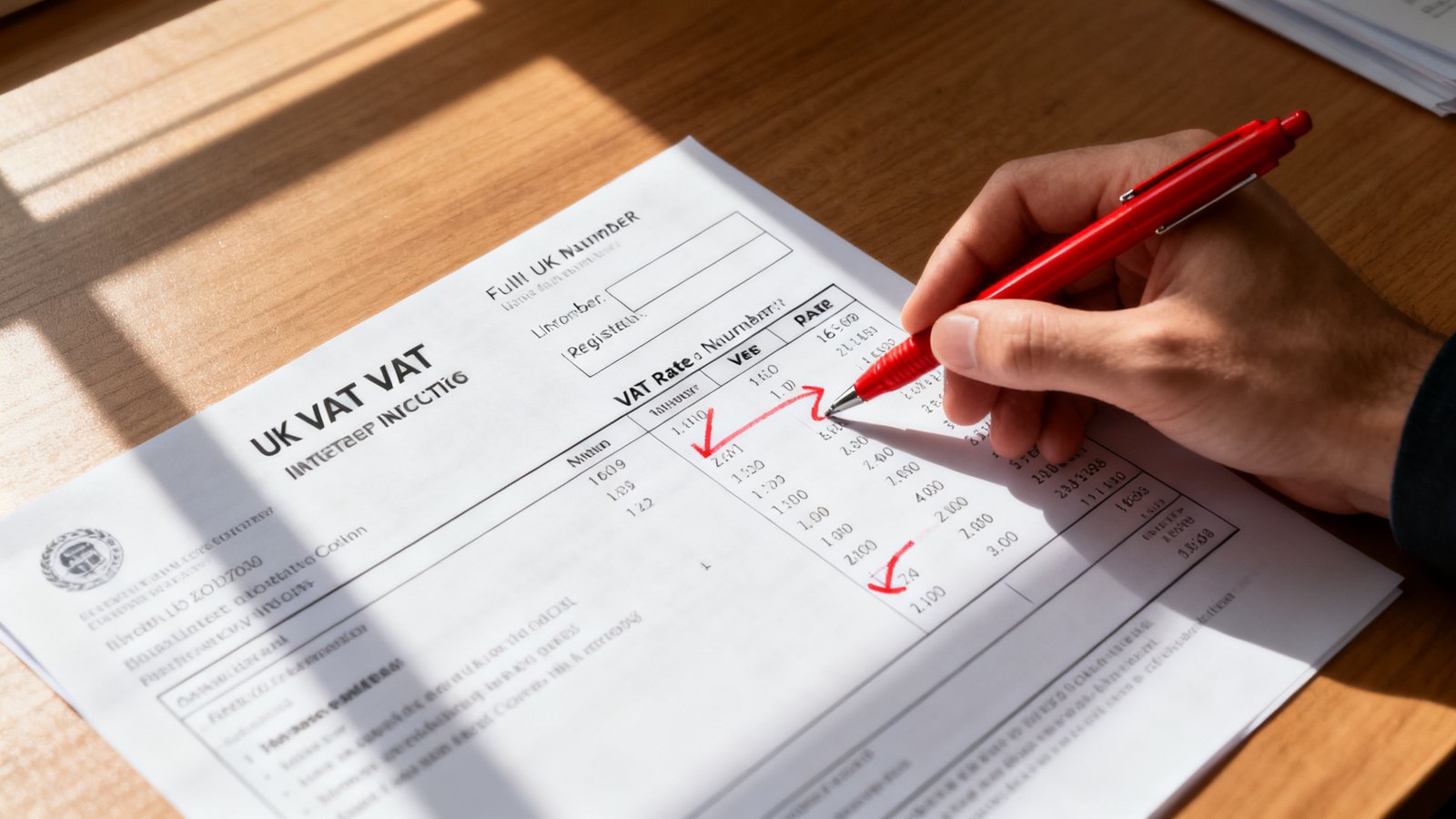
Remember that a simplified VAT invoice, permitted for transactions under £250, requires fewer fields: your name and address, VAT registration number, invoice date, a description of goods or services, the VAT rate per item, and the total including VAT. But relying on simplified invoices for B2B work creates reclaim friction for your client. Most finance teams expect a full invoice regardless of the amount.
Top 3 fields free templates most often miss (and why that causes problems)
After auditing dozens of free templates available online, three omissions appear with startling consistency. Each creates a specific compliance or reclaim risk.
1. The unique invoice number. Many templates include a placeholder that says “Invoice #” but leave the numbering logic to you. If you manually type a number and accidentally duplicate one from last month, you have breached the unique identification requirement. Two invoices with the same number in an HMRC audit trigger an immediate review of your entire sales ledger.
The fix: Add a numbering convention to your template footer. Use the format [YEAR][CLIENTCODE][SEQUENTIAL]. For example, 2026-ACME-001. This guarantees uniqueness while making it easy to search for invoices by client. If you use an editable invoice template, hardcode the year prefix and client field as a reminder.
2. The supplier VAT registration number. This should be the most obvious field on any VAT invoice template, yet free templates frequently bury it in small footer text or omit it entirely from the default layout. If your customer is VAT registered and attempts to reclaim input VAT on your invoice, their own tax authority will reject the reclaim if your VAT number is missing or illegible.
The fix: Place your VAT registration number directly below your business name in the header. Make it bold. Follow the format your registration certificate shows. For UK businesses, that is GB followed by nine digits.
3. A clear VAT rate breakdown per line item. This is where most free templates collapse. They show a subtotal, maybe a single VAT percentage, and a gross total. But if your invoice contains mixed supplies (some standard rated, some zero rated), you must show which rate applies to which line. A single VAT percentage applied to the entire invoice is not sufficient when different rates are in play.
The fix: Add columns for “Unit Price (Net),” “VAT Rate,” “VAT Amount,” and “Gross” to every line item row. Even if all items carry the same rate, the column structure proves to an auditor that you considered rate allocation. Download a simple invoice template free that already includes these column headers and verify they appear on every template variation you use.
HMRC rules on VAT rate breakdown and line items — what to show and how
HMRC’s official guidance, as reflected in Fonoa’s analysis of UK VAT invoice requirements, mandates showing “the rate of VAT charged” and “the total VAT amount.” The guidance does not explicitly state “you must break down VAT rate per line item.” But the requirement to show unit price, net amount, and rate of VAT for each supply makes the expectation clear. If a single invoice contains items at different VAT rates, each distinct supply must indicate its applicable rate. A blanket rate applied to the final subtotal is not compliant when mixed supplies exist.
The recommended layout for every line item row is:
- Description of goods or services
- Quantity or hours
- Unit price (net of VAT)
- Net line total (quantity x unit price)
- VAT rate applicable (20%, 5%, or 0%)
- VAT amount (net line total x VAT rate)
- Gross line total (net + VAT)
This structure satisfies HMRC and makes your customer’s reclaim process frictionless. It also protects you. If an auditor questions a zero rated line item, the rate column proves you classified it deliberately, not by omission.
For businesses issuing a high volume of value added tax invoice documents each month, maintaining this column structure manually becomes tedious. That is where an invoice template PDF free download with locked column formulas or a generator that auto calculates each row saves real time.
Reverse charge & cross-border VAT: what to include (and competitor blindspots)
If you supply services cross border within the EU or between the UK and EU, the reverse charge mechanism shifts the VAT accounting obligation from you, the supplier, to your customer. But your invoice must communicate this clearly. Many basic templates and even some paid platforms omit the required wording, leaving your customer confused and potentially unable to process the invoice correctly.
For UK to EU B2B services, your invoice must include a statement that the reverse charge applies. The exact phrasing matters less than clarity, but here is the wording that UK and EU tax authorities consistently accept:
“Reverse charge: VAT accounted for by the customer under Article 196 of Council Directive 2006/112/EC.”
For UK domestic reverse charge transactions (common in construction and certain technology supplies), use:
“Reverse charge: customer to account for VAT to HMRC.”
You must also display your customer’s VAT registration number on the invoice and, where applicable, your own. The invoice should show the net amount and state the VAT rate as 0% with the reverse charge note, not simply omit the VAT line. Omitting the note entirely is the single biggest blindspot in competitor templates and creates genuine reclaim risk for your buyer.
Fonoa highlights reverse charge transactions as part of the required digital records under Making Tax Digital, meaning your invoicing system must track these separately. A static template that lacks a reverse charge toggle forces you to manually edit the document each time. A proper VAT invoice template should include a conditional reverse charge block you can enable or disable per invoice.
Invoice numbering and date formats — what HMRC requires (and what it doesn’t)
HMRC requires two things from your invoice numbering and dating: a unique identification number and the invoice date. That is it. No mandated format for either. But the freedom creates confusion, so here is what works in practice.
For numbering, sequential numbering remains the gold standard. Start from any number you like. Reset each year or run continuously. The only rule is no duplicates. If you issue a credit note, it needs its own unique number sequence. Recommended convention: [YEAR]-[SEQUENTIAL NUMBER]. Example: 2026-0042. If you invoice multiple clients heavily, prefix with a client code: 2026-ACME-0042. This makes filtering and searching trivial.
For dates, use an unambiguous format. DD/MM/YYYY is standard in the UK. For cross border invoices, consider using the ISO format YYYY-MM-DD to avoid confusion between UK and US conventions. Nothing undermines a professional invoice faster than a customer misreading 03/04/2026 and paying three months late because they thought the date was March instead of April.
One thing HMRC does not require but auditors appreciate: the date of supply, if different from the invoice date. If you delivered services in January but invoice in February, note the supply date. It establishes the correct tax point and protects you if the VAT rate changed between supply and invoicing.
VAT registration thresholds (2026) — who needs to register in UK, Germany, France
The obligation to issue tax invoice template UK compliant documents kicks in when you cross the VAT registration threshold. For 2026, the Tax Foundation reports the following thresholds:
| Country | Annual Turnover Threshold | EUR Equivalent |
|---|---|---|
| United Kingdom | £90,000 | €105,043 |
| Germany | €25,000 | €25,000 |
| France | €87,000 | €87,000 |
The German threshold is strikingly low compared to the UK and France. A UK business selling goods or services into Germany that exceeds €25,000 in German turnover may trigger a registration obligation there, long before hitting the UK’s £90,000 threshold. Once registered, you must issue VAT invoices that comply with local requirements, including displaying your German VAT number and applying the correct rate.
For UK businesses still below £90,000, you can voluntarily register. Doing so lets you reclaim input VAT on business purchases and can make your business appear larger and more established to enterprise clients. But it also means you must start issuing full VAT invoices immediately. If you decide to register voluntarily, have your VAT invoice template free UK ready before the registration date.
Penalties, late-registration charges and real-world risk (how to avoid common traps)
The penalty framework is not theoretical. It applies automatically when HMRC identifies a failure. The most common triggers, and the invoice failures that cause them, are worth memorising.
| Risk Event | Penalty | How to Avoid It |
|---|---|---|
| Late filing (points system) | £200 fine after points threshold reached | File returns on time; use MTD compatible software with automated reminders |
| Late payment | 2% of outstanding VAT | Reconcile invoices against payments weekly; flag overdue invoices that delay VAT remittance |
| Late registration (< 9 months) | 5% of VAT owed from registration date | Monitor rolling 12 month turnover monthly; register within 30 days of exceeding threshold |
| Late registration (9–18 months) | 10% of VAT owed | Same as above; the penalty doubles after 9 months |
| Late registration (> 18 months) | 15% of VAT owed | Deliberate or prolonged failure can also trigger criminal investigation |
| Missing VAT number on invoice | Customer reclaim denied; HMRC compliance check triggered | Use a template with the VAT number locked in the header; never manually remove it |
The pattern is consistent: invoice failures do not incur direct penalties in isolation. But they trigger audits, and audits surface late payments, late registrations, and filing errors. A single missing VAT number on a B2B invoice can be the thread that unravels months of sloppy record keeping.
Contractors and small consultancies face particular scrutiny because HMRC knows many operate near the threshold and handle their own billing. If you fall into that category, treat every invoice as an audit document, not just a payment request.
Custom template vs automated generator — decision guide (features to compare)
The choice between maintaining your own VAT invoice template and adopting a VAT compliant invoice generator comes down to volume, complexity, and tolerance for manual checking.
Custom template pros: You control every field. No subscription cost. Works offline. Suitable for businesses issuing fewer than 5 invoices per month with straightforward, single rate supplies.
Custom template cons: You must manually update numbering, verify VAT rates per line, add reverse charge wording when needed, and ensure the template stays current with regulatory changes. Every invoice requires a manual review. At 10 invoices per month, that review adds up to hours you are not billing.
Automated generator pros: Sequential numbering is automatic. VAT rates are applied per line item based on product or service classification. Reverse charge wording is toggled with a checkbox. Most generators produce downloadable PDF templates that are audit ready and MTD compatible. MTD compatible software varies in cost, but many entry level plans are priced for small businesses.
Automated generator cons: Monthly or annual fees. Learning curve if the interface is complex. Some generators lack cross border features or charge extra for multi currency support.

Features to prioritise in any generator: MTD compatibility for direct HMRC submission, automatic sequential numbering with year prefix, per line VAT rate support, reverse charge toggle, downloadable and editable PDF exports, audit trail logs, and multi currency conversion using HMRC exchange rates.
Downloadable templates and micro-copy you can use today
To save you the time of building from scratch, here is what you should expect from any template or generator you adopt:
1. Full UK VAT invoice template (PDF and editable format). Every required field pre populated with field labels and inline help text. The header includes your business name, address, and VAT registration number in bold, directly below the logo. The line item table includes columns for description, quantity, unit price net, net total, VAT rate, VAT amount, and gross. The footer contains payment terms, bank details, and the total VAT amount in sterling alongside the gross total.
2. Simplified invoice template for sub £250 receipts. A stripped back version that includes your business name, VAT number, invoice date, description of supply, VAT rate per item, and the total including VAT. Useful for retail or low value B2C transactions where a full invoice is not mandatory.
3. Micro-copy snippets for common VAT treatments:
- Reverse charge (EU B2B services): “Reverse charge: VAT accounted for by the customer under Article 196 of Council Directive 2006/112/EC.”
- Reverse charge (UK domestic): “Reverse charge: customer to account for VAT to HMRC.”
- Zero rated supply: “VAT rate: 0% — Zero rated supply.”
- Reduced rate supply: “VAT rate: 5% — Reduced rate supply.”
- Standard rate supply: “VAT rate: 20% — Standard rate supply.”
4. Generator recommendation blurb: For businesses issuing more than a handful of invoices each month, manually maintaining a VAT invoice template introduces unnecessary risk. BrandedInvoice is a fast, reliable web app that generates professional, VAT compliant invoices in seconds. It handles sequential numbering, per line VAT rates, reverse charge toggling, and downloadable PDFs automatically. If you need an invoice template PDF free download or a full generating tool, it covers both without requiring any tax expertise on your part.
Conclusion
A VAT invoice template is not just a format preference. It is the document that stands between your business and an HMRC penalty notice. The required fields are not complicated, but they are specific. Free templates skip the unique invoice number, bury the VAT registration number, or fail to break down VAT rates per line item. Each omission creates a compliance gap that an audit will find.
The registration thresholds for 2026 make this even more urgent. UK businesses trading into Germany face a €25,000 threshold that is dramatically lower than the UK’s £90,000. Cross border invoicing demands reverse charge wording that most basic templates simply do not include.
Whether you use a downloadable template you manually check each month or switch to an automated generator that handles compliance by default, the priority is the same: every invoice you send must be audit ready before the customer receives it. Download the full UK VAT invoice template linked above, verify your VAT number is displayed correctly, and if your volume is growing, try a generator that eliminates the manual work completely. Compliance is not expensive. The penalties for getting it wrong are.
Frequently Asked Questions
What is the difference between a full VAT invoice and a simplified VAT invoice?
A full VAT invoice is required for sales over £250 and must include all 12 fields listed in the checklist above, including a unique invoice number, your VAT registration number, unit price, net amount, VAT rate, and VAT total. A simplified VAT invoice applies to sales under £250 and can omit some details, requiring only your business name, VAT number, invoice date, description of supply, VAT rate per item, and the total including VAT. Most B2B customers will still request a full invoice regardless of the amount.
Can I issue a VAT invoice without a VAT registration number?
No. If you are VAT registered, your VAT registration number must appear on every VAT invoice. Issuing an invoice that charges VAT without displaying a valid VAT registration number is a breach of HMRC rules and will prevent your customer from reclaiming input VAT. If you are not VAT registered, you cannot charge VAT and should not issue a VAT invoice at all.
Do I need to show VAT per line item or can I apply one rate to the total?
If all items on your invoice are subject to the same VAT rate, applying one rate to the subtotal is generally acceptable. However, if your invoice contains mixed supplies (some standard rated, some zero rated, some reduced rated), you must show which rate applies to each line item. The safest approach is to include a VAT rate and VAT amount column on every line item row regardless, so there is no ambiguity during an audit.
What happens if I duplicate an invoice number by accident?
HMRC requires every VAT invoice to carry a unique identification number. If you accidentally duplicate a number, you have technically breached the uniqueness requirement. In practice, a single duplicate is unlikely to trigger a penalty by itself, but it invites scrutiny. If you discover a duplicate, issue a credit note for the duplicated invoice using a separate, unique credit note number, and reissue the correct invoice with a new unique number. Using an automated generator removes the risk of manual duplication entirely.
Are VAT invoice requirements the same across the EU?
The core requirements are similar across EU member states, but each country sets its own specific rules, thresholds, and formatting expectations. The UK, post Brexit, operates its own VAT system with rules that largely mirror the EU framework but with different thresholds and digital record keeping requirements under Making Tax Digital. If you invoice customers in multiple EU countries, check each country’s local requirements or use a generator that supports multi jurisdiction invoicing.